

User knowledge is personal — it applies only to your own Clark conversations across all apps. Use it to capture your individual preferences so Clark adapts to how you like to work — things like code style, workflow preferences, and the types of apps you typically build.

Adding user knowledge

Navigate to the Knowledge page and chat with Clark to describe what you want it to remember. Clark will create the right knowledge entry at the right scope for you, then present it for your review before saving. We recommend using Clark to write entries because it optimizes them for LLM retrieval — producing focused, well-structured instructions that Clark can look up effectively at build time. For example, you might tell Clark:
  • “I prefer TypeScript over JavaScript. Always use typed interfaces for API responses.”
  • “When presenting options, give me a brief summary — I don’t need long explanations.”
  • “I primarily build data-heavy dashboard apps. Optimize for table and chart components.”
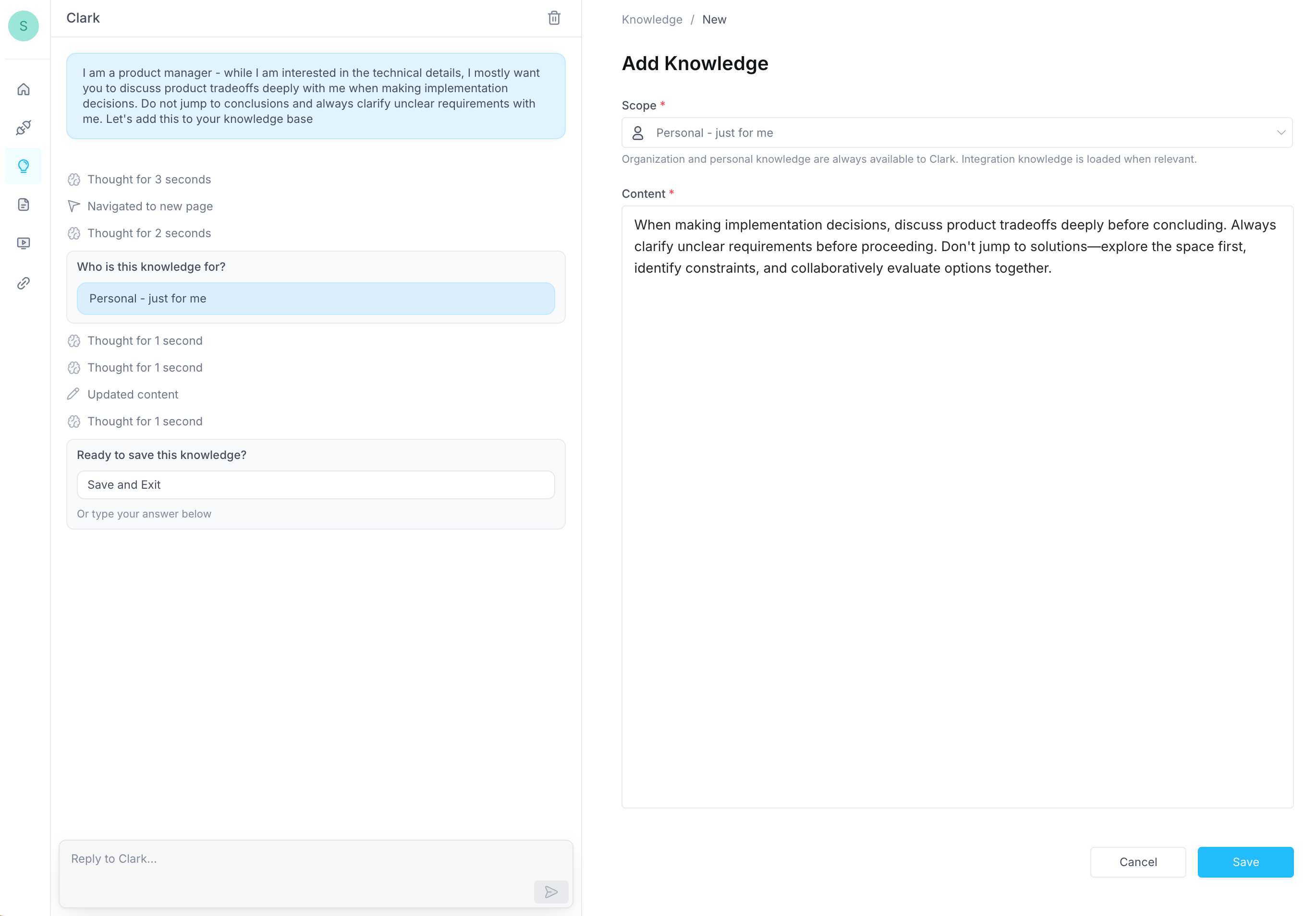
Clark will draft the entry, scope it to Personal, and present it for your review before saving. Clark creating a personal knowledge entry You can also ask Clark to explore your existing knowledge, refine entries, or identify duplicates — for example, “Review my personal knowledge and suggest anything I should add based on how I’ve been building.”

Permissions

User knowledge is private. Only you can see and manage your entries, and they are only used in your own Clark conversations. User knowledge is part of Clark’s broader Knowledge system. You can also define knowledge at the organization, integration, and app levels.