Integration knowledge is scoped to a specific data source and is looked up whenever Clark works with that integration. Use it to capture the details and nuances that help Clark write correct queries and API calls from the start — things like schema quirks, query patterns, naming conventions, and API behavior.

Adding integration knowledge

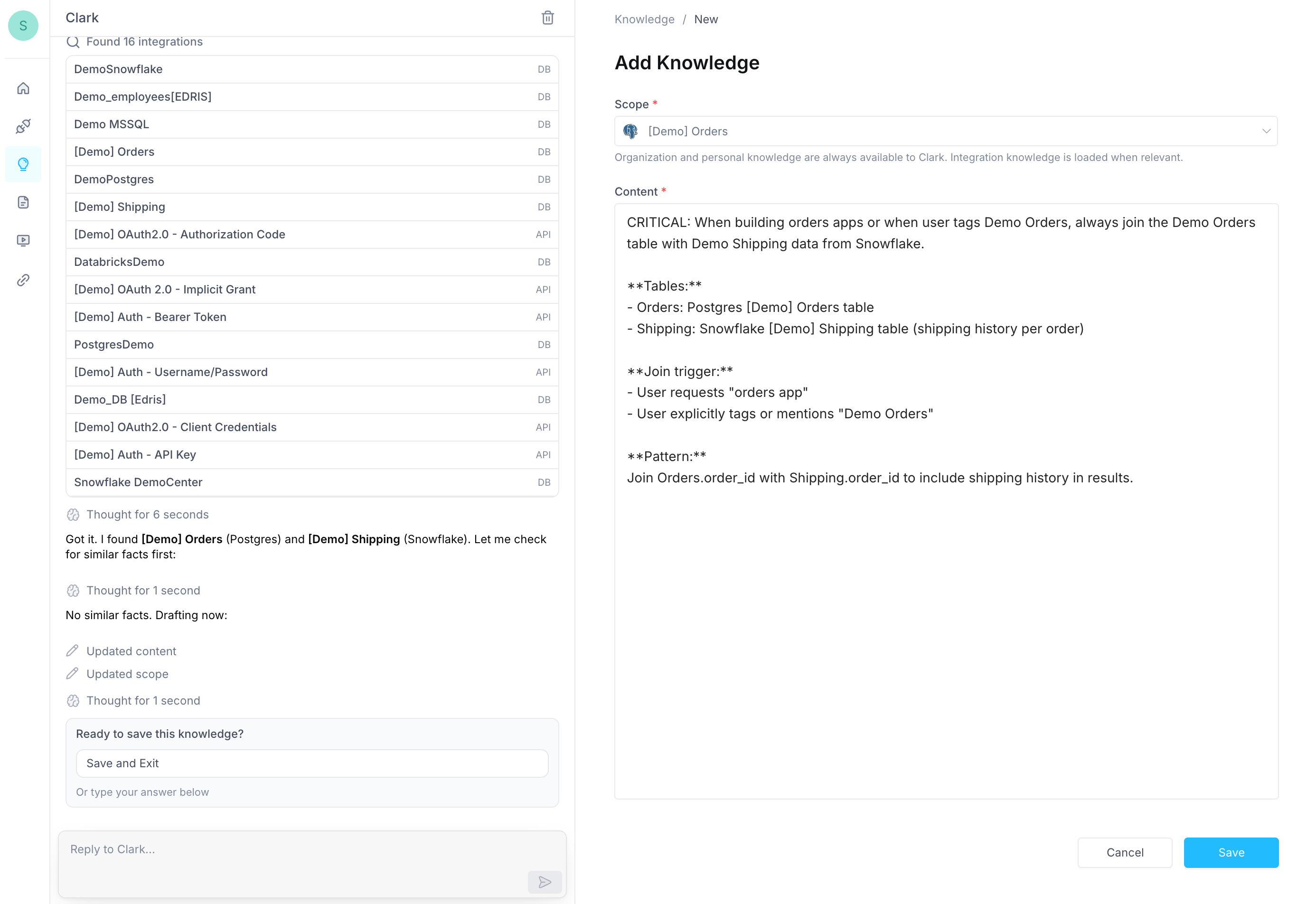
Navigate to the Knowledge page and chat with Clark to describe what you want it to remember about a specific data source. Clark will create the right knowledge entry at the right scope for you, then present it for your review before saving. We recommend using Clark to write entries because it optimizes them for LLM retrieval — producing focused, well-structured instructions that Clark can look up effectively at build time. For example, you might tell Clark:
  • “The orders table uses soft deletes. Always include WHERE deleted_at IS NULL unless explicitly asked to include deleted records.”
  • “This Salesforce instance uses a custom Region__c field on Account. Always include it when querying accounts.”
  • “Rate limit is 100 requests per minute. Use batch endpoints for bulk operations instead of individual calls.”
  • “The users table has a legacy_id column that is no longer used. Always use user_id instead.”
Clark will draft the entry, scope it to the relevant integration, and present it for your review before saving. Clark creating an integration knowledge entry You can also ask Clark to explore your existing knowledge, refine entries, or identify duplicates — for example, “Review my integration knowledge for Postgres and flag anything that’s outdated.”

Permissions

Integration knowledge follows your existing integration access. If you can update an integration, you can update its knowledge. If you can build with an integration, Clark will use its knowledge during your conversations. Integration knowledge is part of Clark’s broader Knowledge system. You can also define knowledge at the organization, user, and app levels.