

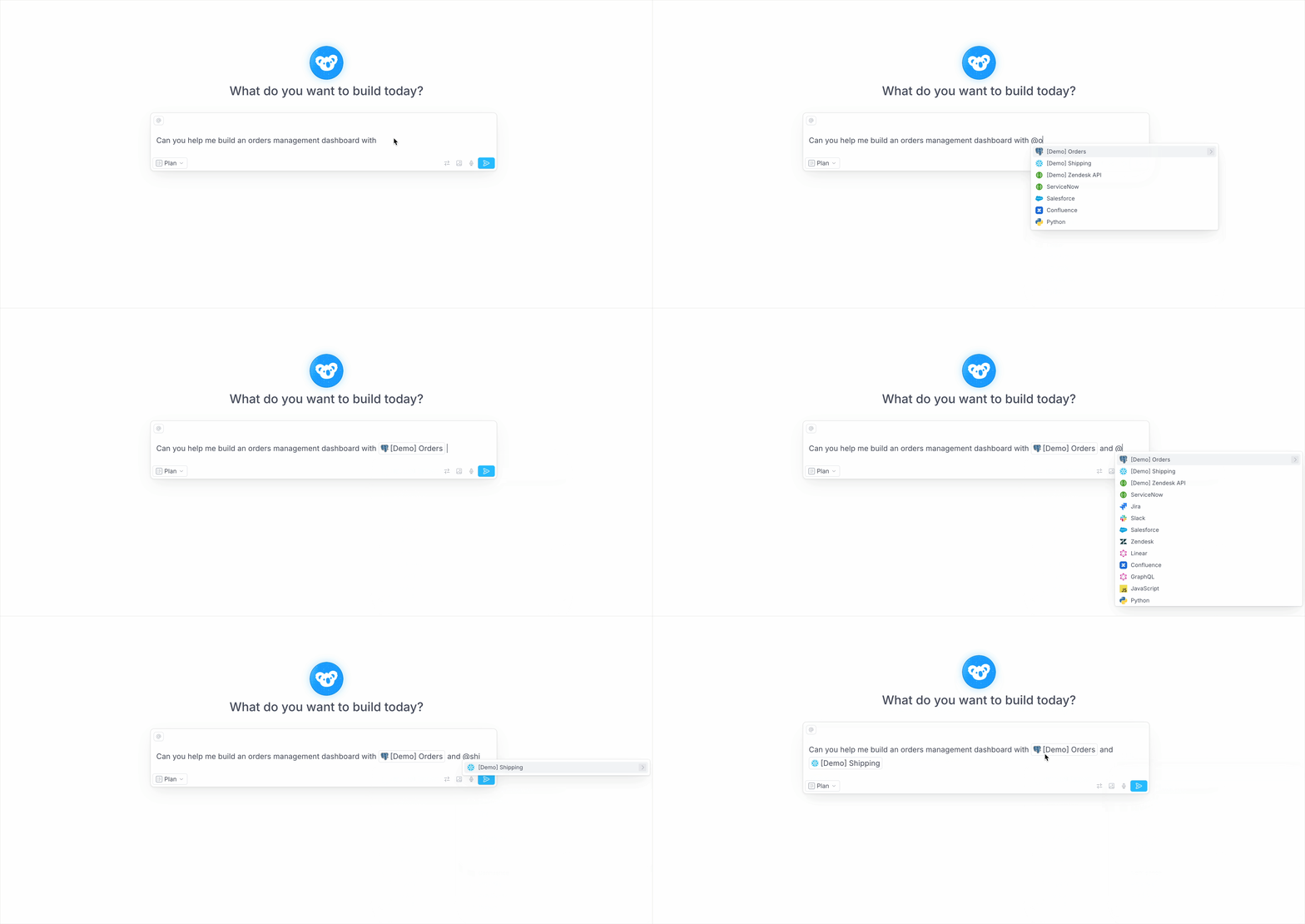
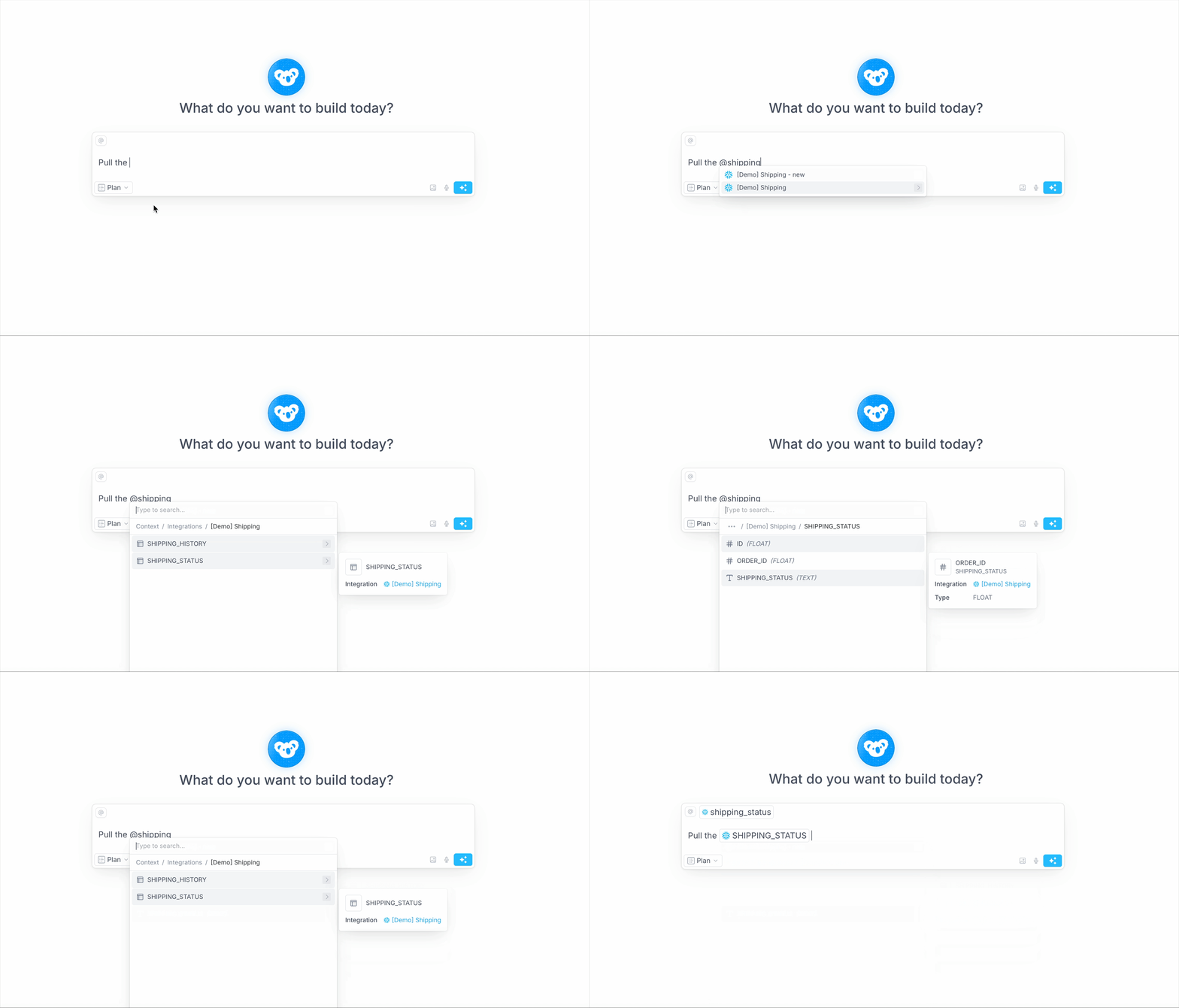
@ sign in chat. Then scroll or filter the list to select a specific integration and tag it in your prompt. Clark will use any tagged integrations as the data sources for planning and building your application’s backend APIs.
Specify data sources in your prompts by tagging integrations
@ sign in chat. Then scroll or filter the list to select a specific integration and tag it in your prompt. Clark will use any tagged integrations as the data sources for planning and building your application’s backend APIs.