

How do I know if my app is on 2.0?
Open the app in the editor. If it is still on 2.0, you will see a banner that lets you Upgrade. If you can open the Code tab (< >) and view the app source, the app is already on 3.0 and will not show the upgrade banner.
Why upgrade?
For how TypeScript APIs work after upgrade, see Backend APIs.
Features that need alternatives in 3.0
Some 2.0 patterns are not supported the same way in 3.0 apps:- Custom backend libraries used inside APIs
- Environment variables in APIs (removed for credential security; use integrations and secrets instead)
- One-off REST requests (ad hoc REST steps outside a configured REST integration)
- Python API steps
How to upgrade
1
Start the upgrade
Open your application in the Superblocks editor, then click the Upgrade button in the banner at the top of the page.
2
Confirm and begin migration
Confirm the migration details and settings, including adjustment of API write permissions to prevent Clark from testing APIs that write to sensitive integrations. Click Upgrade now to start the migration.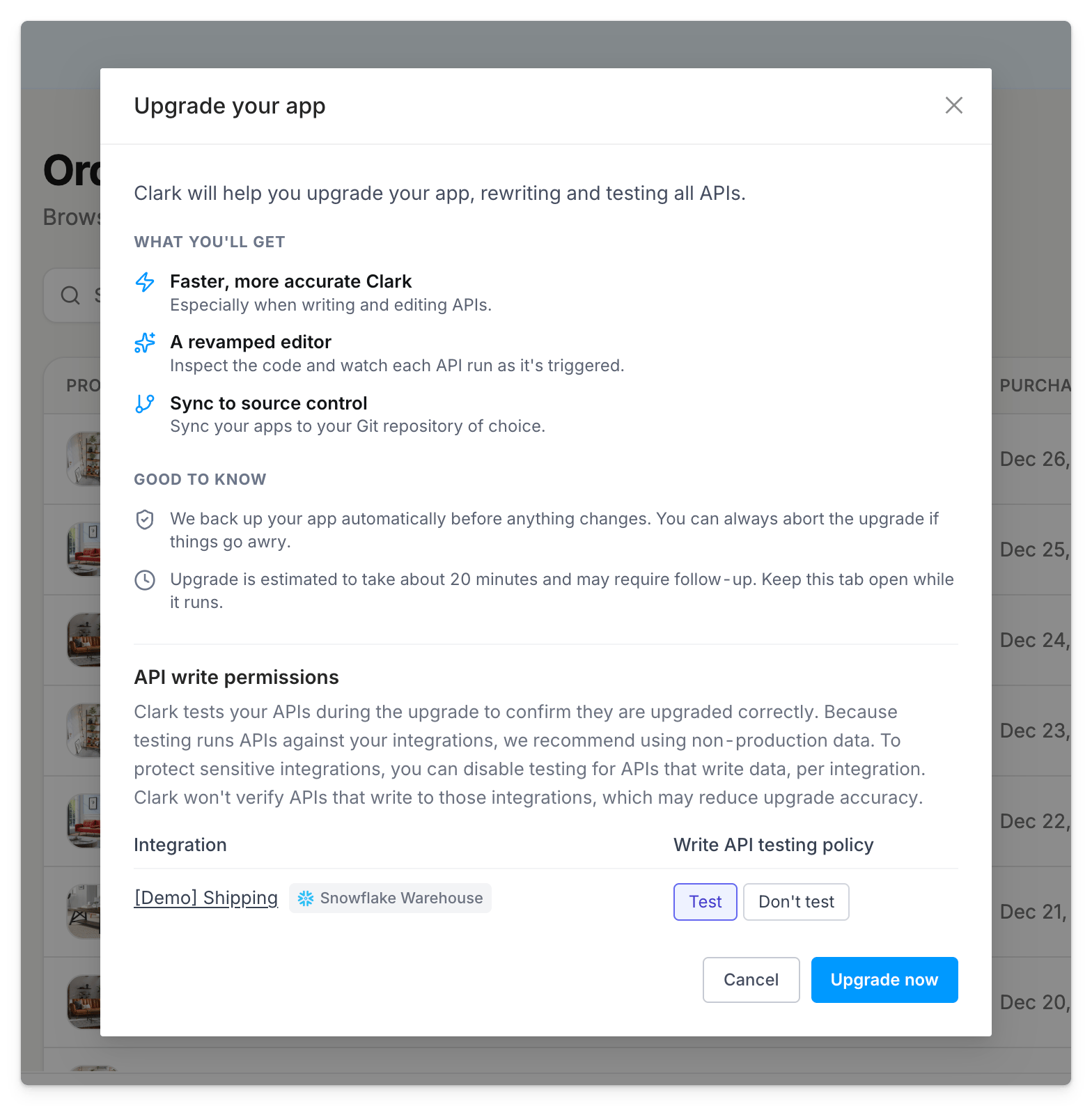
3
Let Clark migrate and test
Clark will create a checklist and get to work migrating and testing your application. At any point in time you can select Abort migration to restore the previous version.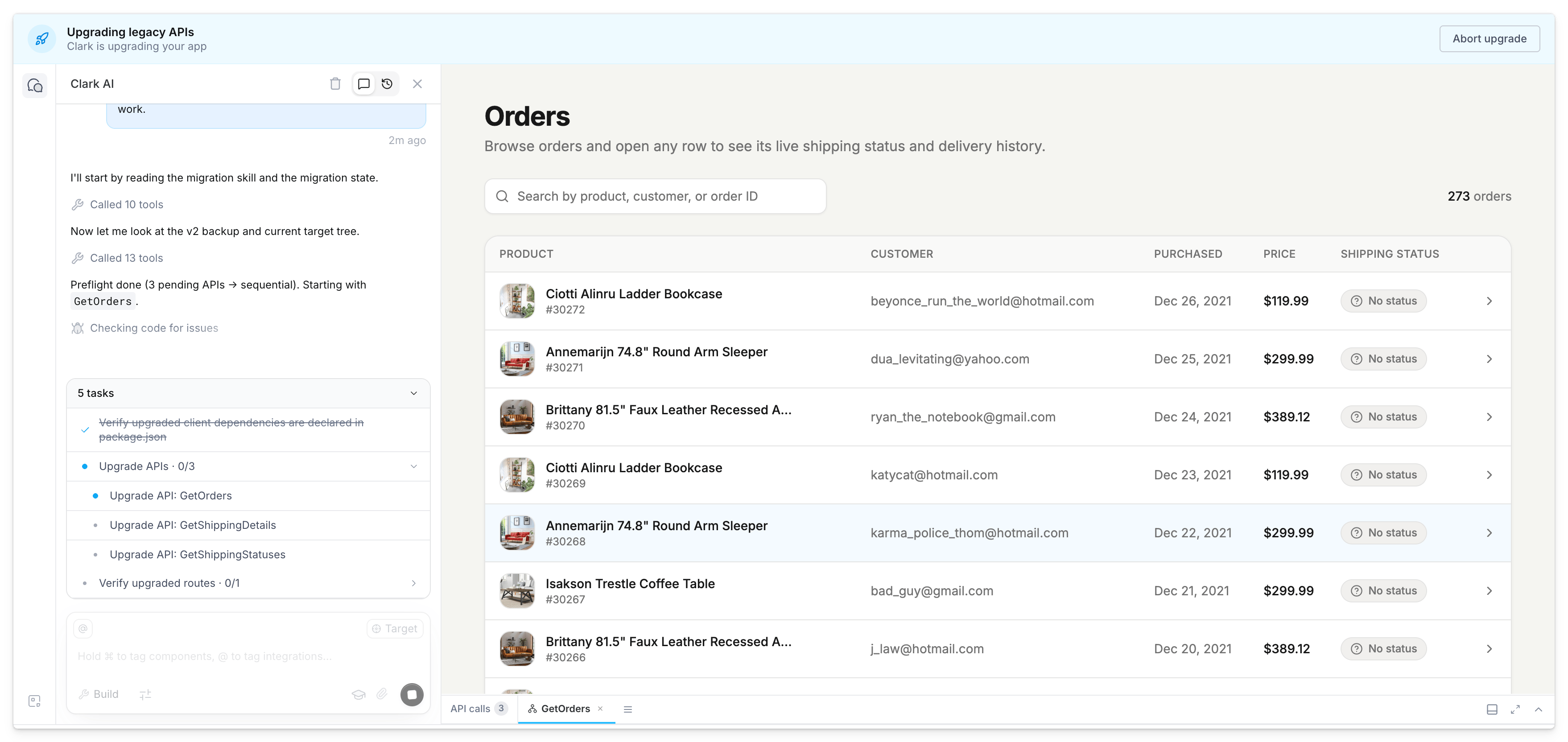
4
Finish and finalize
Once the upgrade completes and you are satisfied with the results, click Finish upgrade then Finalize upgrade to confirm.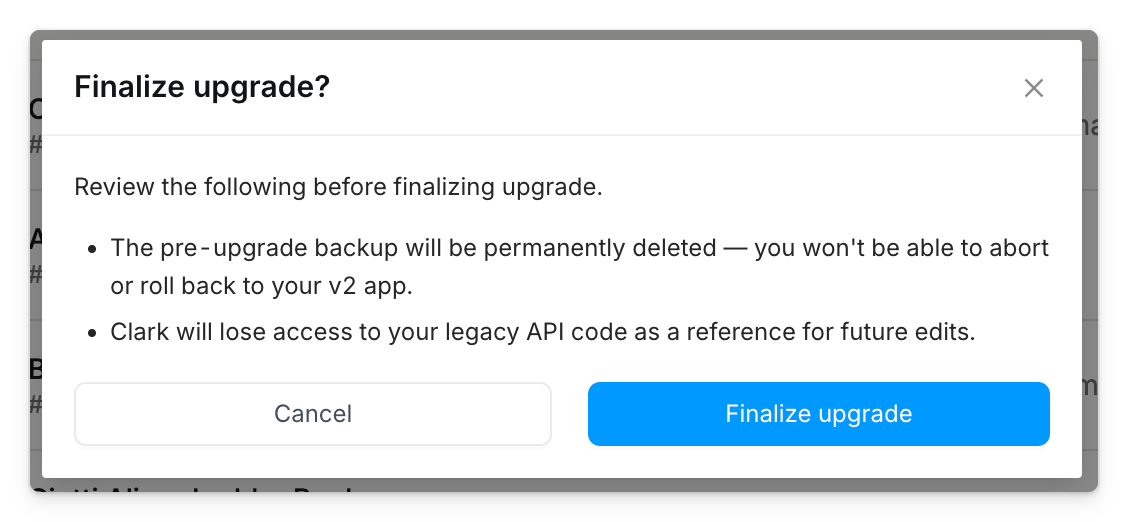
Abort and restore
To cancel the upgrade at any point, click Abort upgrade, then confirm with Abort and restore. Aborting does the following:- Upgrade progress is discarded
- Clark generation stops
- The app restores to the pre-upgrade backup checkpoint
- Clark chat context is cleared
- The page reloads when restore finishes
Troubleshooting
APIs could not be upgraded or verified
- Use Fix with Clark for APIs that failed conversion
- Use Get testing instructions when Clark could not auto-test some APIs (for example write APIs you blocked from testing)
- Manually verify those APIs before you finalize