

When each policy runs
The Policy Agents page in the dashboard lists every Superblocks-managed policy, grouped by when it runs.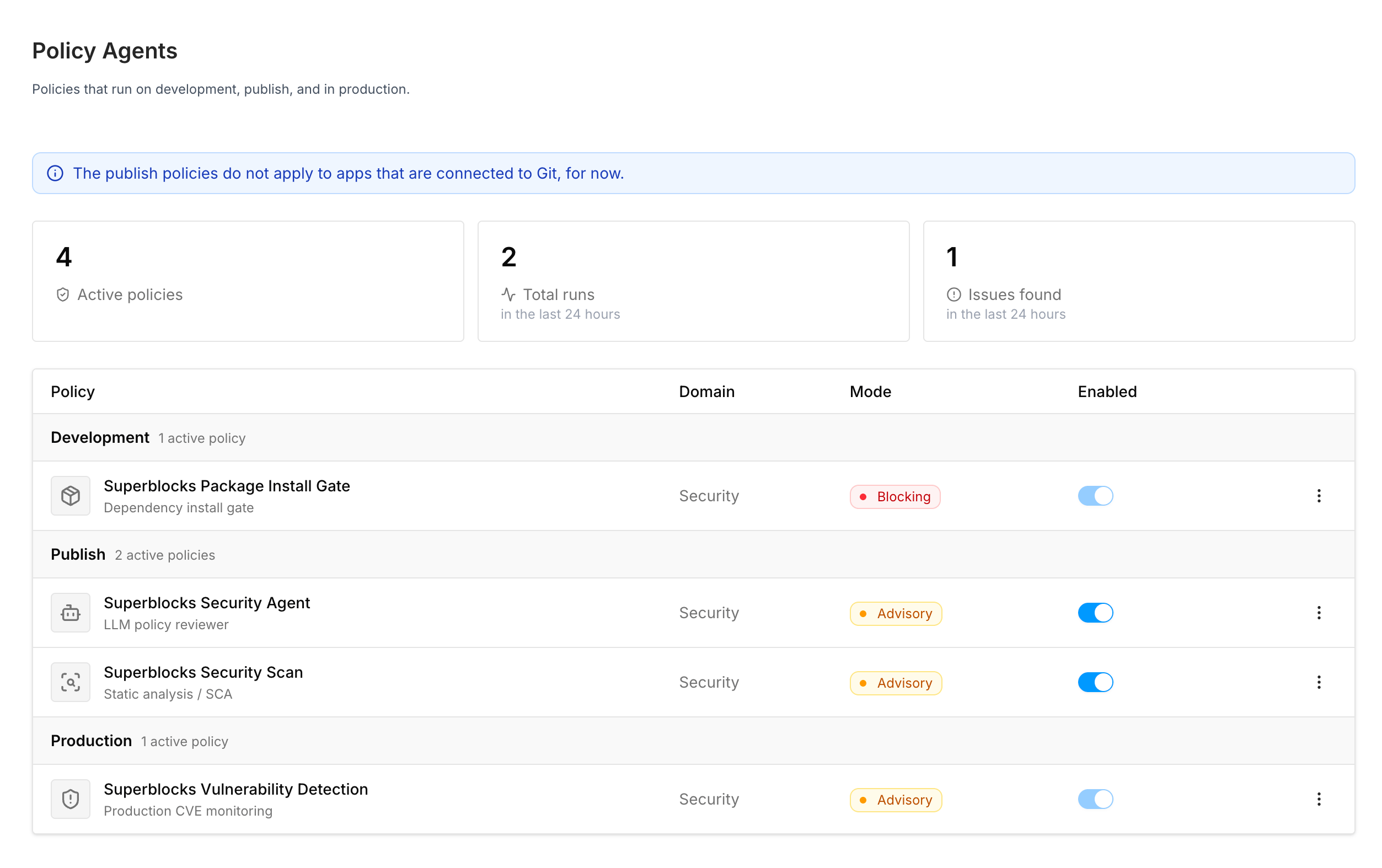
CVE detection is one policy evaluated at three moments. At development time it is the Package Install Gate in Clark chat, with malware checks and the cooldown on top of the CVE lookup. At publish time it is part of the Security Scan. In production it is Vulnerability Detection, against apps already live.
What each policy looks for
Static analysis
Deterministic scanning for hardcoded secrets and insecure code patterns
Security Agent
An AI reviewer that reasons about your application the way a security engineer would
CVE detection
Known advisories against the npm packages your app depends on
Shared behavior
Once a publish-time policy produces a finding, the rest is the same no matter which policy found it: severity, scan mode, remediation with Fix with Clark, run errors, and the audit trail. That is covered once in How findings work. The short version: only critical and high findings can block a publish, and whether they do depends on the scan mode an admin sets per policy.Packages
Beyond the policies themselves, Superblocks gives you visibility and control over the packages your apps depend on:- CVE notifications: alert admins and app creators when a newly disclosed critical or high CVE lands on a published app
- CVE exceptions: template packages Superblocks excludes because the advisory is not exploitable and cannot be upgraded today
- SBOM: view and export an application’s package inventory as a CycloneDX document
- Private registries: route every
npm installthrough a registry your security team already trusts, such as CodeArtifact, Artifactory, or Nexus
Permissions
policies:manage configures policies, modes, and scope. policies:view reads policies and sees every application in Security Center. Without policies:view, a builder still opens Security Center for the applications they can edit. Deploy access gates Fix with Clark, Unpublish, and Publish anyway.
Related
- How findings work: severity, scan modes, remediation, and audit
- Knowledge: guide Clark while it writes code, so fewer findings appear at publish time