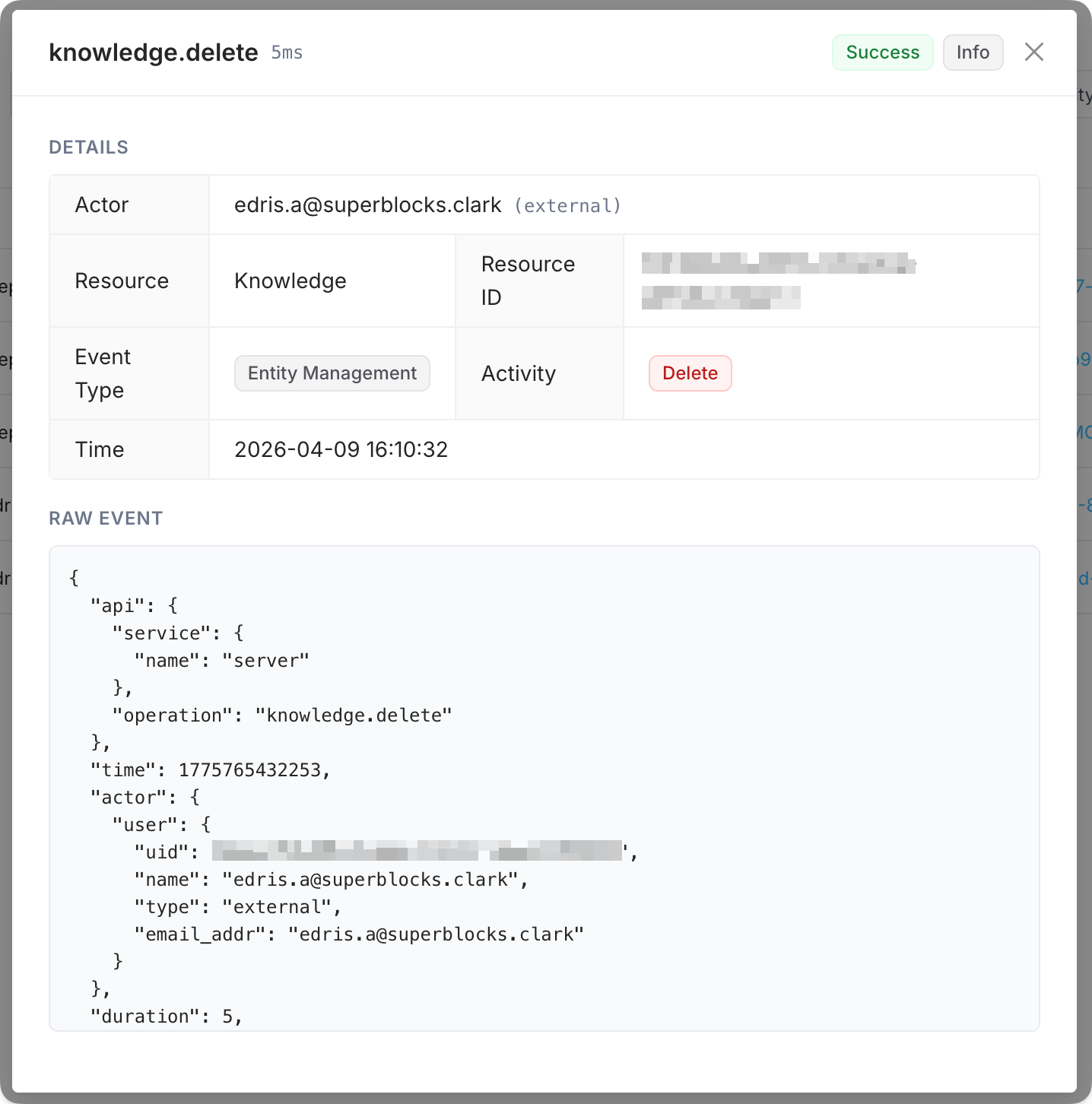
Audit logs provide a searchable record of activity in your Superblocks organization. With audit logs, admins get visibility into:
  • API executions against your backends
  • Queries and calls run through your integrations
  • Builder activity (edits, deploys, permission changes)
  • End-user activity in your apps
  • Integration and platform changes (credentials, configuration, and other administrative updates)
All of this audit data is also available programmatically through the Superblocks MCP server—use the Audit capabilities to query the same events from agents, scripts, and other tooling.

Searching for logs

In the Audit logs page, filter by time range, event type, resource, actor, status, and severity.
ControlPurpose
SearchText search over audit events
Date rangeStart and end date-time for the events to include
Event typeLimit to one event type, or All
StatusLimit by outcome (e.g., Success or Failure), or All
SeverityLimit by severity level (e.g., Low+, Medium+, High+), or All
ResourceLimit to one or more resource kinds, or All
ActorLimit to actions by a specific user, or Anyone
You can then view any matching events, and click into an event to see the raw event details. Audit logs
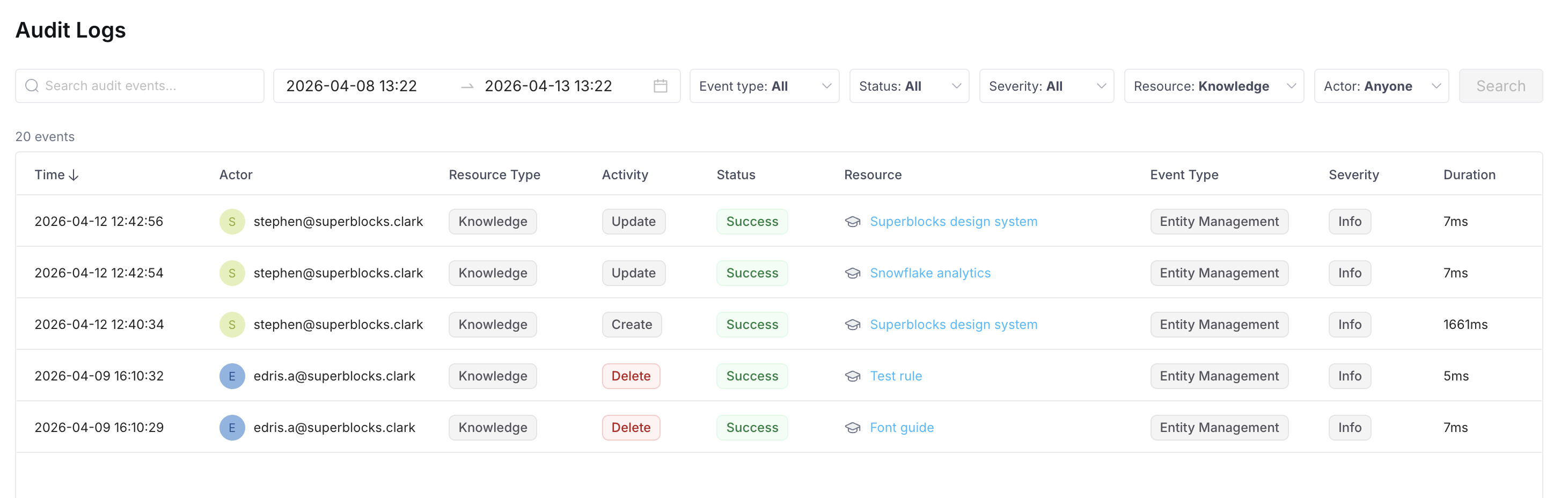
Audit event details

Event types

You can filter by the following Event type values:
  • Account Change
  • Authentication
  • Entity Management
  • User Access
  • App Lifecycle
  • API Activity

Resources

You can filter by Resource to focus on events that target a given kind of object. Available values include:
  • Agent
  • API
  • Application
  • Credential
  • Folder
  • Group
  • Integration
  • Knowledge
  • Organization
  • Permission
  • Repository
  • Role
  • Session
  • Token
  • User