









Send logs to Elastic Cloud
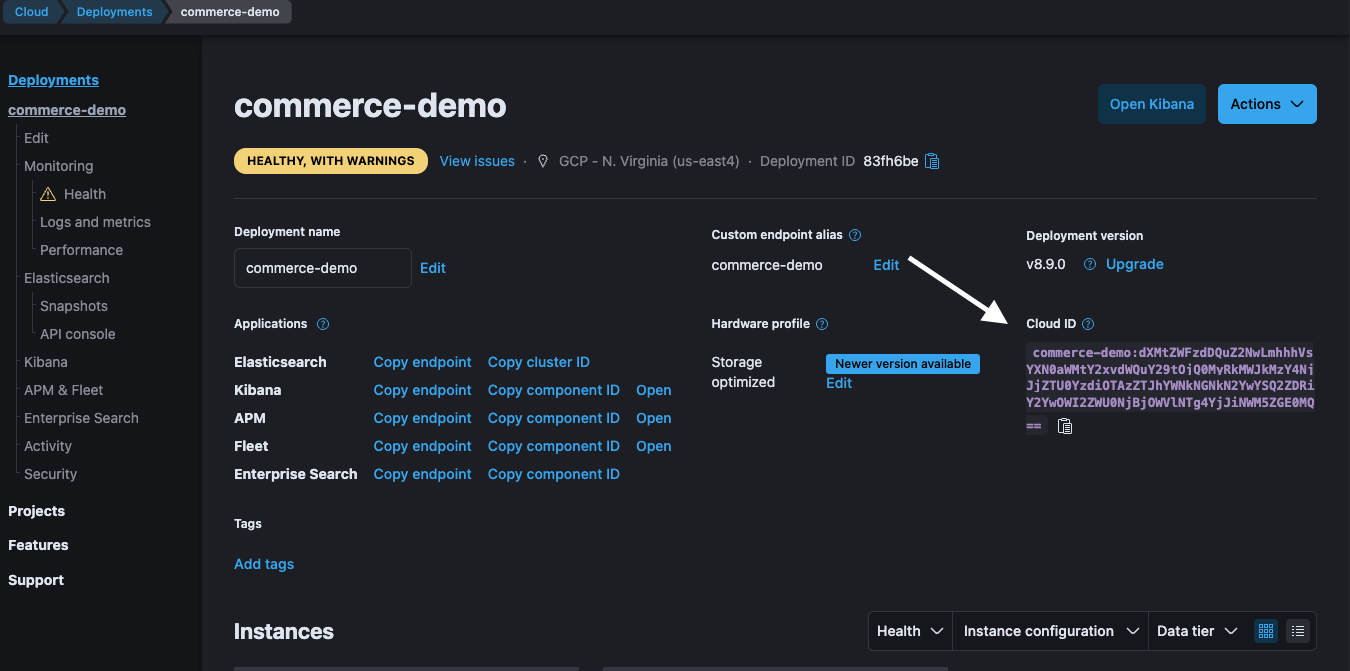
Get your Elastic Cloud ID
- Log in to your Elastic Cloud account
- Select your deployment
- Click Manage
- Copy the Cloud ID located on the right side of the page
Set up Observability in Superblocks
- Log in to Superblocks
- Navigate to Organization Settings → Observability
- Click the Elastic Cloud tile
- Provide the following settings:
| Setting | Description |
|---|---|
| Cloud ID | Your Elastic Cloud deployment’s Cloud ID copied. |
| Cloud Auth | Follow the format <USERNAME>:<PASSWORD>. Use your Cloud username for the first part. Use your Cloud password for the second part which was given to you when you created a cluster. |
- Click Create