








Send logs to Coralogix
To send Superblocks logs to Coralogix, you will need:- A Coralogix Send-Your-Data API Key
- The Coralogix domain for your account
Copy API Key from Coralogix
- Log in to your Coralogix account
- From the Coralogix toolbar, click the user icon on the top right corner and click Settings
- In the left-hand menu, click Keys
- Click + Send your data key
- Add a key name
- In Role presets select SendData
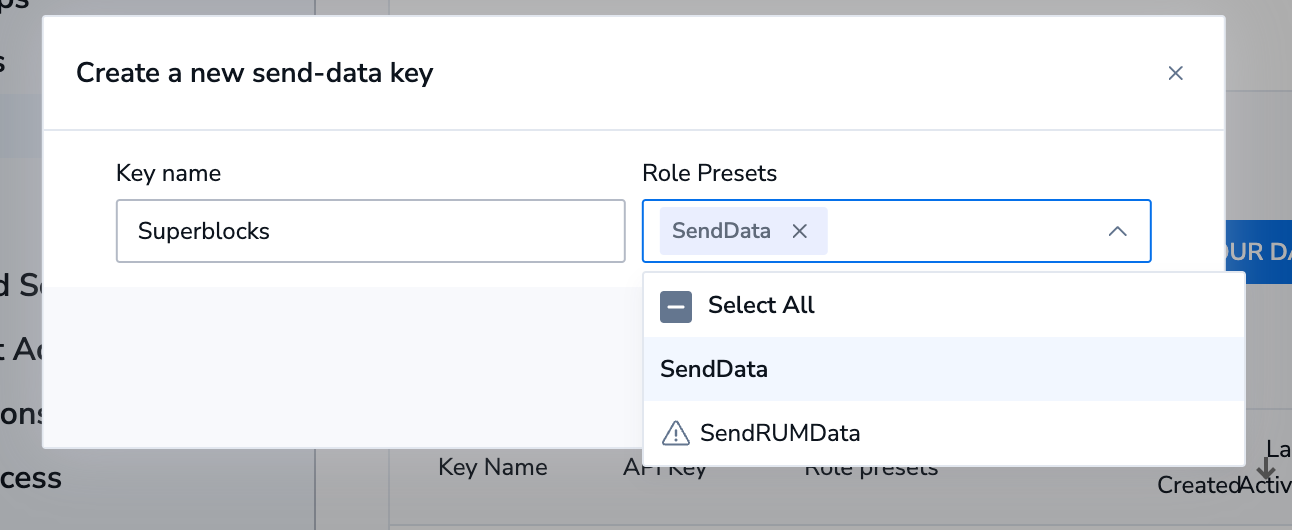
- Click Create
- Copy the API Key created
Set up Observability in Superblocks
- Log in to Superblocks
- Navigate to Organization Settings → Observability
- Click the Coralogix tile
- Provide the following settings:
| Setting | Description |
|---|---|
| Domain | Your Coralogix account’s domain. |
| API Key | The Coralogix API Key you created. |
- Click Create