Prerequisites
Set up
Create Google OAuth Client
-
In Google Cloud Console search for the Credentials Page: https://console.cloud.google.com/apis/credentials

- Click on Create Credentials and select OAuth client ID
-
Configure your credentials:
- Select the Web application application type
- Choose a name for your credentials
- Add
https://app.superblocks.comas an “Authorized JavaScript origin” - Add
https://app.superblocks.com/oauth/callbackas an “Authorized redirect URI”
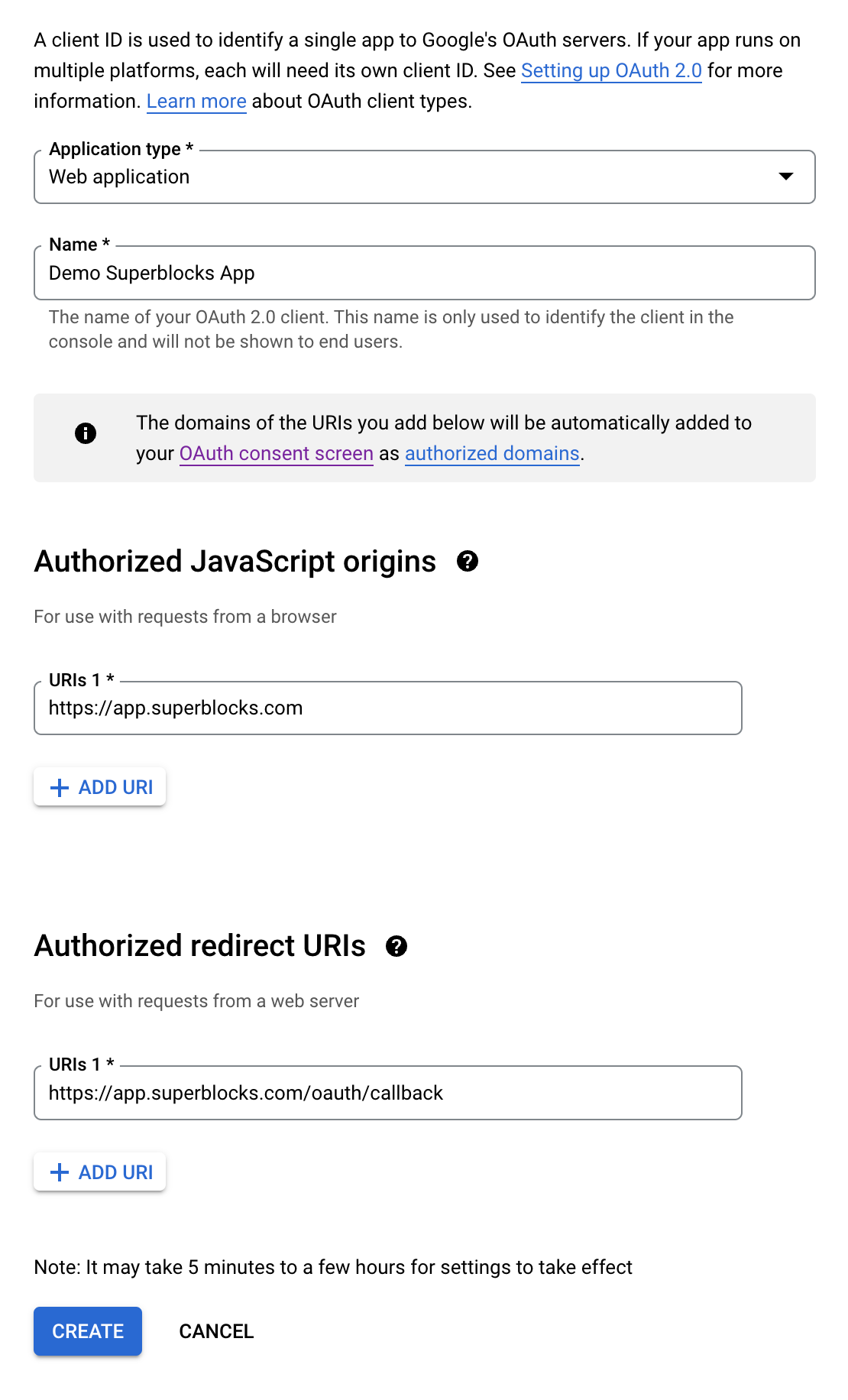
-
Click Create and copy the
Client IDandClient secret
Configure Superblocks integration
-
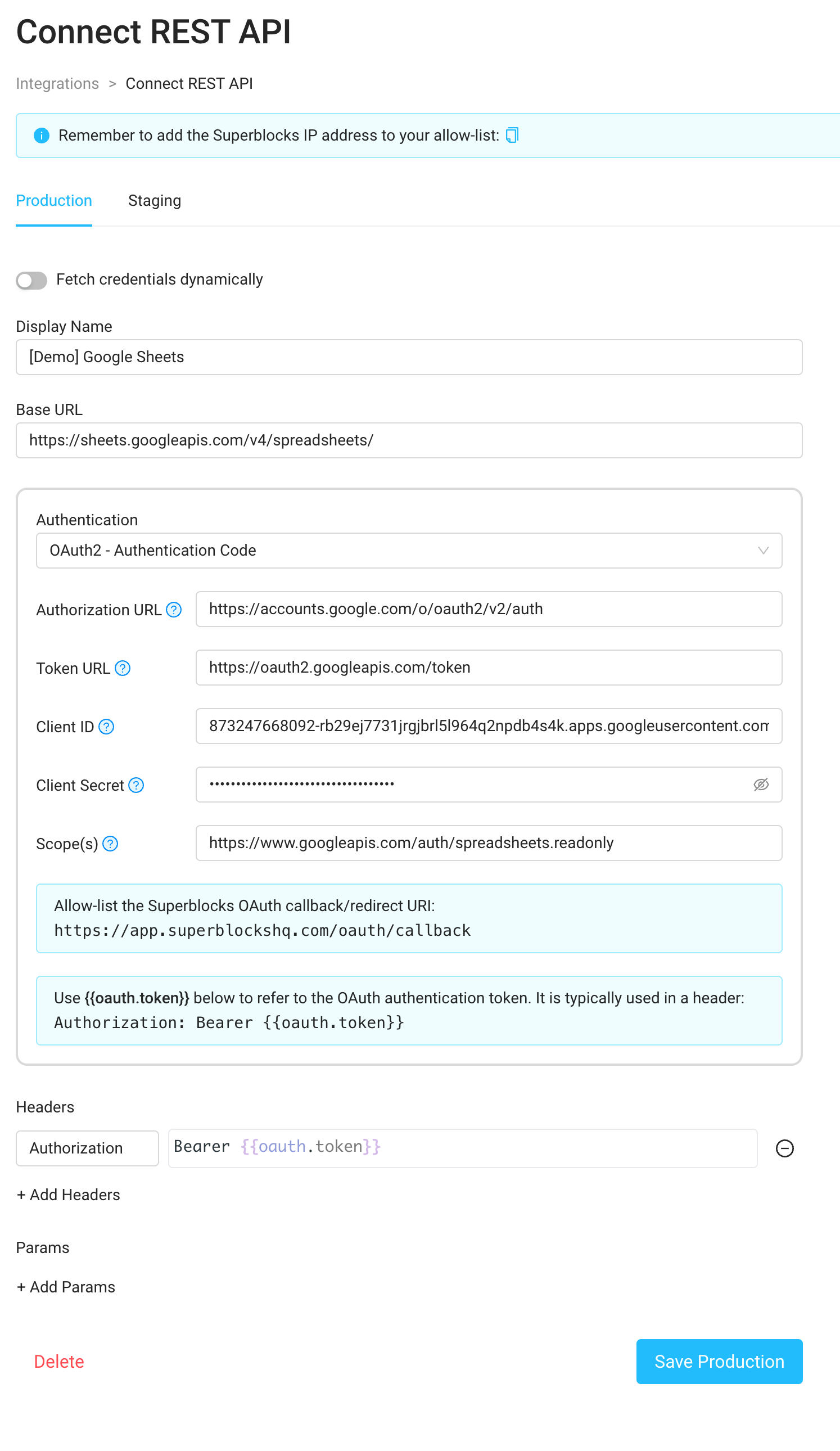
Create a REST API integration in Superblocks (notice the added header). Replace the Client ID and Client Secret with the ones obtained in the previous step:
-
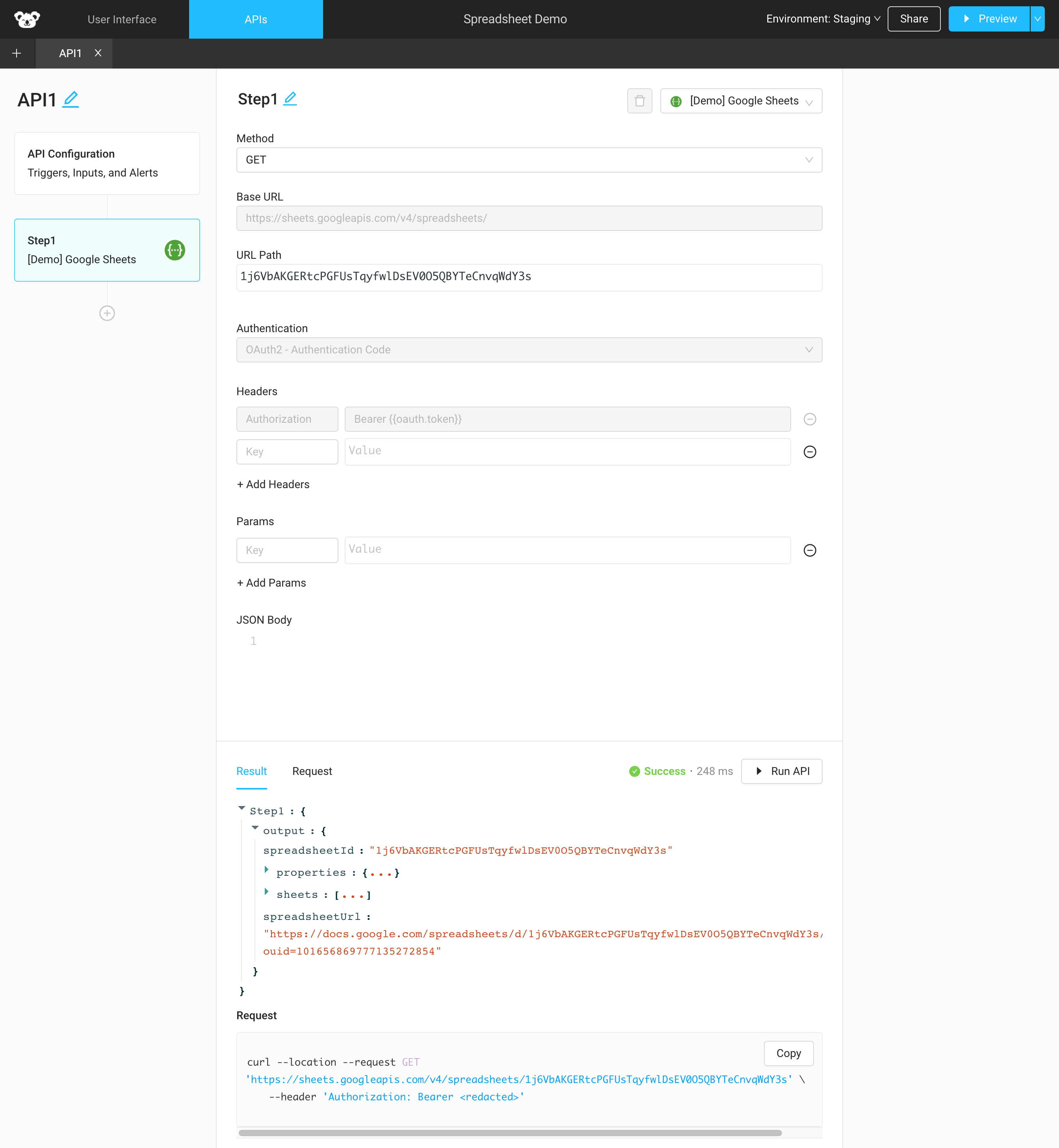
Now you can use the integration in a Superblocks App to access your Google Sheets data using Google’s Sheets REST API: