

Manage
Monitoring the data plane
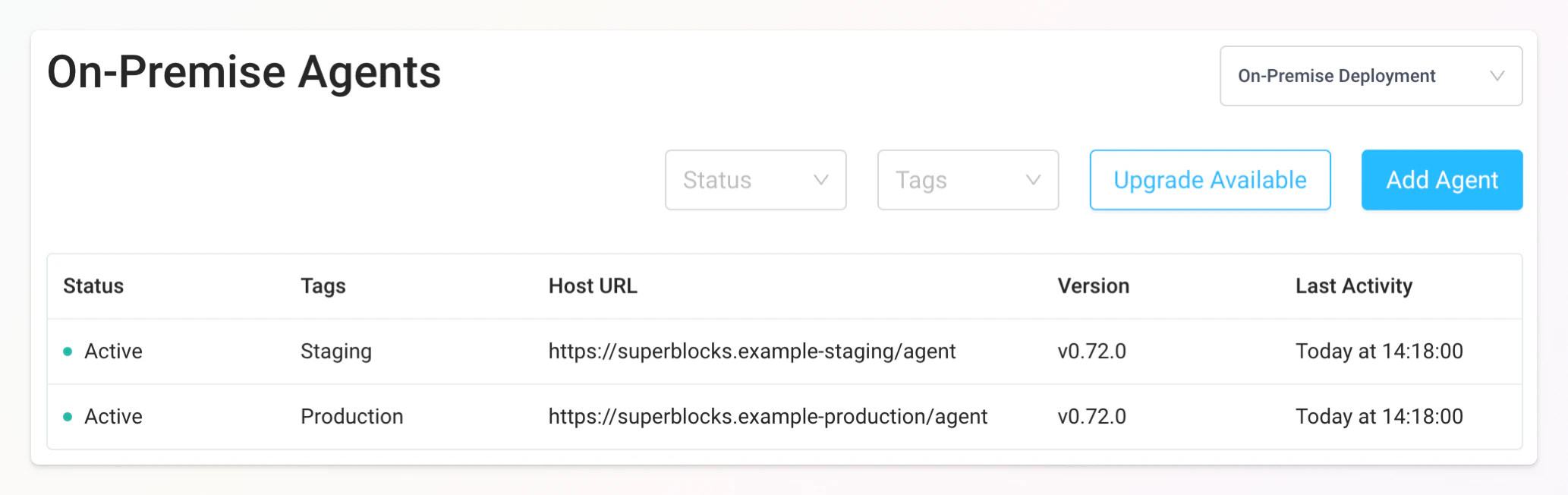
To monitor the health of your self-hosted Superblocks data plane, go to the data plane page in app. This page shows all instances and their current health status. Healthy instances will show up as “Active” while unhealthy ones appear as either “Disconnected” or “Browser Unreachable.”
Since the data plane is deployed behind a load balancer, the cluster is considered healthy provided at least one replica is “Active”. If all of the instances within a cluster are “Disconnected” or show as “Browser Unreachable”, Superblocks will not be able to execute API requests for that environment. To troubleshoot disconnected or unreachable instances, see the Troubleshooting guide.