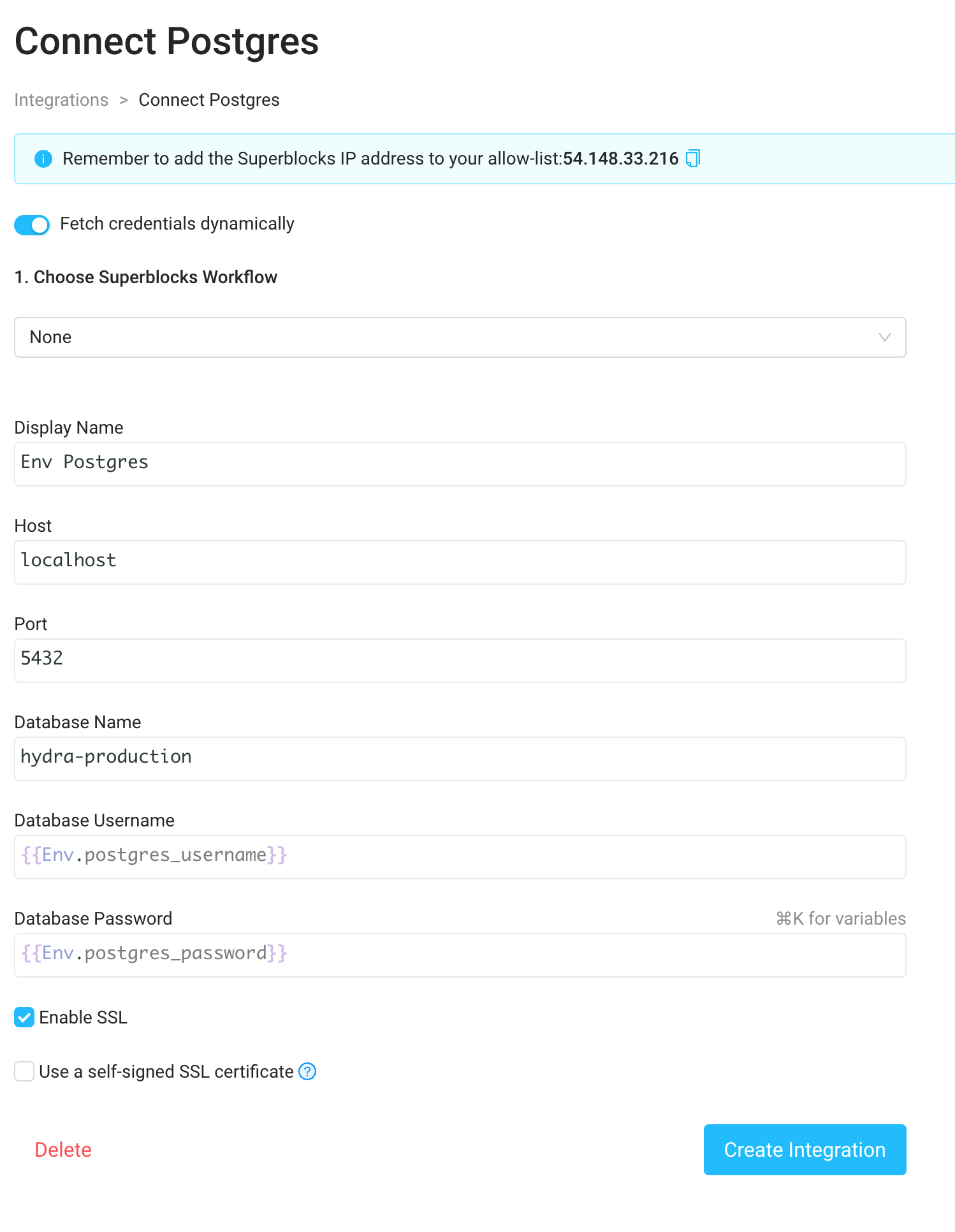
SUPERBLOCKS_AGENT_APP_ENV_ can be referenced using the global Env object.
Environment variable prefix (SUPERBLOCKS_AGENT_APP_ENV_)
All environment variables that are prefixed with SUPERBLOCKS_AGENT_APP_ENV_ are accessible through the Env global variable. You can use them in Superblocks with the environment variable name without the prefix (e.g. Env.postgres_password). To use:
- Specify environment variables prefixed with
SUPERBLOCKS_AGENT_APP_ENV_(e.g.SUPERBLOCKS_AGENT_APP_ENV_POSTGRES_PASSWORD) in the environment where the data plane is deployed - Reference the environment variable insider Superblocks as a property on the global
Envobject by the suffix of the environment variable (e.g.{{Env.postgres_password}}for the example above)
Example: Configuring a Postgres integration with environment variable secrets
- Expose the environment variables
SUPERBLOCKS_AGENT_APP_ENV_POSTGRES_USERNAMEandSUPERBLOCKS_AGENT_APP_ENV_POSTGRES_PASSWORDin your data plane deployment - Navigate to the Integrations tab in the menu bar on the left side of the Home page and select a Postgres integration
- Enable “Fetch credentials dynamically” via the toggle at the top of the Postgres integration form
- Enter the username and password as
{{Env.postgres_username}}and{{Env.postgres_password}}.