> ## Documentation Index
> Fetch the complete documentation index at: https://docs.superblocks.com/llms.txt
> Use this file to discover all available pages before exploring further.
# Connect to AWS services with IAM roles
export const Alert = ({type, title, children}) => {
const getIcon = () => {
switch (type) {
case 'info':
return "data:image/svg+xml,%3Csvg xmlns='http://www.w3.org/2000/svg' width='20' height='20' viewBox='0 0 20 20' fill='none'%3E%3Cpath d='M10 0C4.477 0 0 4.477 0 10s4.477 10 10 10 10-4.477 10-10S15.523 0 10 0zm0 15c-.552 0-1-.448-1-1s.448-1 1-1 1 .448 1 1-.448 1-1 1zm1-3H9V6h2v6z' fill='%230099FF'/%3E%3C/svg%3E";
case 'success':
return "data:image/svg+xml,%3Csvg width='20' height='20' viewBox='0 0 20 20' fill='none' xmlns='http://www.w3.org/2000/svg'%3E%3Cpath fill-rule='evenodd' clip-rule='evenodd' d='M10 0C4.477 0 0 4.477 0 10s4.477 10 10 10 10-4.477 10-10S15.523 0 10 0zm4.293 6.293L9 11.586 5.707 8.293c-.391-.391-1.024-.391-1.414 0s-.391 1.024 0 1.414l4 4c.391.391 1.024.391 1.414 0l6-6c.391-.391.391-1.024 0-1.414s-1.024-.391-1.414 0z' fill='%230CC26D'/%3E%3C/svg%3E";
case 'warning':
return "data:image/svg+xml;charset=utf-8;base64,PHN2ZyB4bWxucz0naHR0cDovL3d3dy53My5vcmcvMjAwMC9zdmcnIHhtbDpzcGFjZT0ncHJlc2VydmUnIHdpZHRoPScxMDgwJyBoZWlnaHQ9JzEwODAnPjxyZWN0IHdpZHRoPScxMDAlJyBoZWlnaHQ9JzEwMCUnIGZpbGw9J3RyYW5zcGFyZW50Jy8+PHBhdGggZD0nTTEzLjc5NCAxMC43NSA4LjMgMS4yNWExLjUgMS41IDAgMCAwLTIuNiAwbC01LjQ5NCA5LjVBMS40OTQgMS40OTQgMCAwIDAgMS41IDEzaDExYTEuNDkzIDEuNDkzIDAgMCAwIDEuMjk0LTIuMjVNNi41IDUuNWEuNS41IDAgMCAxIDEgMFY4YS41LjUgMCAwIDEtMSAwek03IDExYS43NS43NSAwIDEgMSAwLTEuNS43NS43NSAwIDAgMSAwIDEuNScgc3R5bGU9J3N0cm9rZTpub25lO3N0cm9rZS13aWR0aDoxO3N0cm9rZS1kYXNoYXJyYXk6bm9uZTtzdHJva2UtbGluZWNhcDpidXR0O3N0cm9rZS1kYXNob2Zmc2V0OjA7c3Ryb2tlLWxpbmVqb2luOm1pdGVyO3N0cm9rZS1taXRlcmxpbWl0OjQ7ZmlsbDojZmY5ZjM1O2ZpbGwtcnVsZTpub256ZXJvO29wYWNpdHk6MScgdHJhbnNmb3JtPSd0cmFuc2xhdGUoLjAyIDE5LjMwNSlzY2FsZSg3Ny4xNCknLz48L3N2Zz4=";
case 'danger':
return "data:image/svg+xml,%3Csvg width='20' height='20' viewBox='0 0 20 20' fill='none' xmlns='http://www.w3.org/2000/svg'%3E%3Cpath d='M10 0C4.477 0 0 4.477 0 10s4.477 10 10 10 10-4.477 10-10S15.523 0 10 0zm5.707 4.293L10 9.586 4.293 4.293c-.391-.391-1.024-.391-1.414 0s-.391 1.024 0 1.414L8.586 11l-5.707 5.293c-.391.391-.391 1.024 0 1.414s1.024.391 1.414 0L10 12.414l5.707 5.293c.391.391 1.024.391 1.414 0s.391-1.024 0-1.414L11.414 11l5.707-5.293c.391-.391.391-1.024 0-1.414s-1.024-.391-1.414 0z' fill='%23F45252'/%3E%3C/svg%3E";
case 'note':
return "data:image/svg+xml,%3Csvg xmlns='http://www.w3.org/2000/svg' width='20' height='20' viewBox='0 0 20 20' fill='none'%3E%3Cpath d='M10 0C4.477 0 0 4.477 0 10s4.477 10 10 10 10-4.477 10-10S15.523 0 10 0zm0 15c-.552 0-1-.448-1-1s.448-1 1-1 1 .448 1 1-.448 1-1 1zm1-3H9V6h2v6z' fill='%230099FF'/%3E%3C/svg%3E";
default:
return "";
}
};
return
{title &&
{title}
}
{children}
;
};
Connecting by assuming an IAM role is only available when using Superblocks Hybrid or Cloud-Prem architectures
When running the Superblocks data plane on AWS ([ECS Fargate](/enterprise/hybrid-architecture/deployment/aws_ecs_fargate), [EKS](/enterprise/hybrid-architecture/deployment/kubernetes), or [EC2 instances](/enterprise/hybrid-architecture/deployment/virtual_machine)), the container can access AWS services with an [IAM role](https://docs.aws.amazon.com/IAM/latest/UserGuide/id_roles.html), instead of requiring long-term access keys. This can be used in:
* Superblocks integrations like [DynamoDB](/integrations/integrations-library/aws-dynamodb) and [S3](/integrations/integrations-library/aws-s3)
* Backend API steps using the Python [Boto3](https://boto3.amazonaws.com/v1/documentation/api/latest/index.html) library or JavaScript [AWS SDK](https://www.npmjs.com/package/aws-sdk)
## Auth types
### ECS task role
Assign an IAM role to the agent's ECS task. If using the Superblocks Terraform module, this can be set via the `superblocks_agent_role_arn` [variable](https://github.com/superblocksteam/terraform-aws-superblocks/blob/c86beb31f119538dd9d1e97ae2ad72d0ea70a458/examples/complete/main.tf#L33).
```
superblocks_agent_role_arn = "arn:aws:iam::111111111111:role/my-iam-role"
```
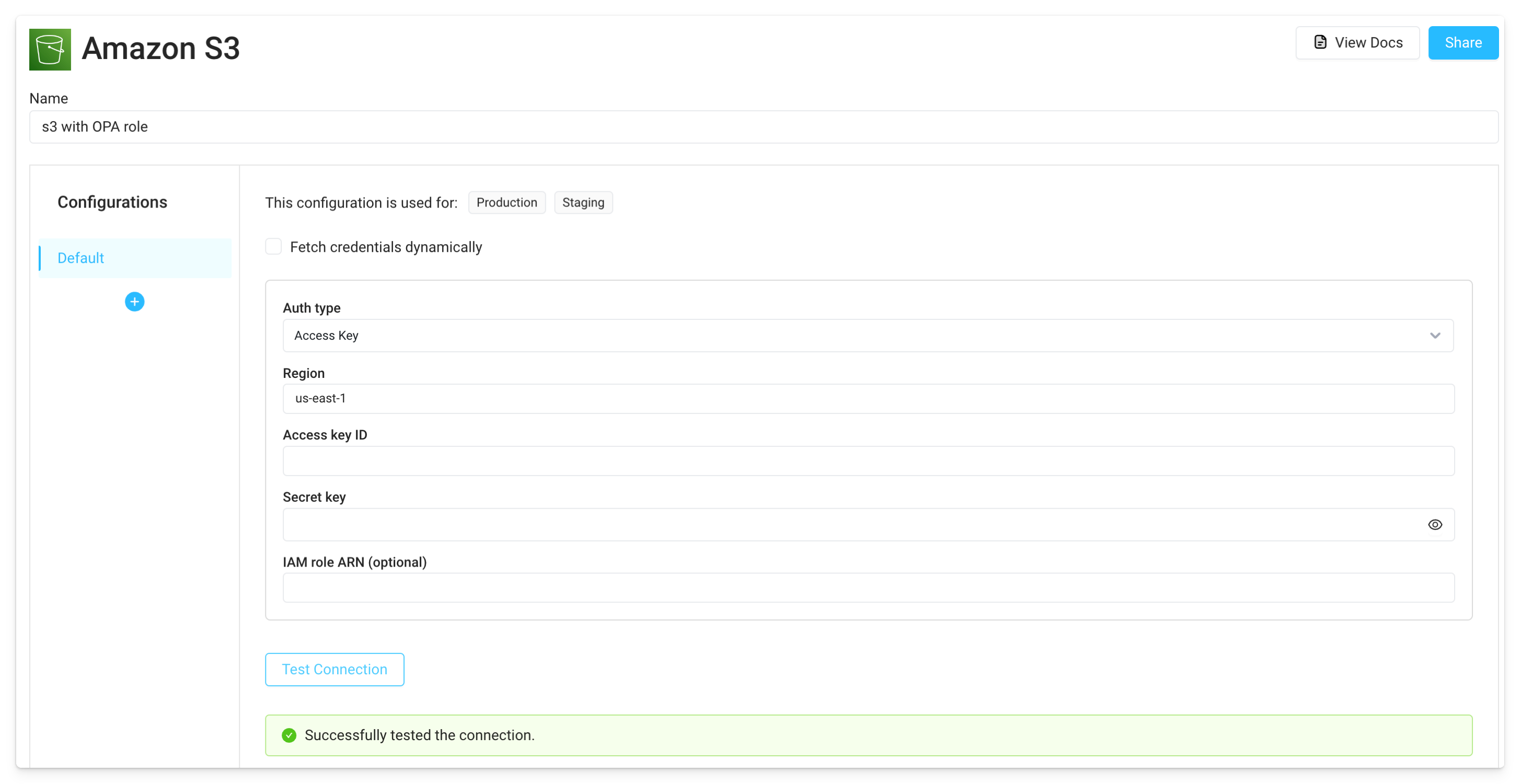
Once this is set up, create AWS integrations with only the region specified (leave the default auth type set to **Access Key**, though this will not be used). The agent will use its assigned role to retrieve temporary credentials when APIs are executed.
### Kubernetes service account
Follow the steps in the EKS docs on [IAM roles for service accounts (IRSA)](https://docs.aws.amazon.com/eks/latest/userguide/iam-roles-for-service-accounts.html) to associate an IAM role with a Kubernetes service account. Specify this service account in the agent's Helm chart `values.yaml` file, along with the annotation for the IAM role.
```yaml theme={null}
#(...)
serviceAccount:
name: data-plane-service-account
annotations:
eks.amazonaws.com/role-arn: arn:aws:iam::111111111111:role/my-iam-role
#(...)
```
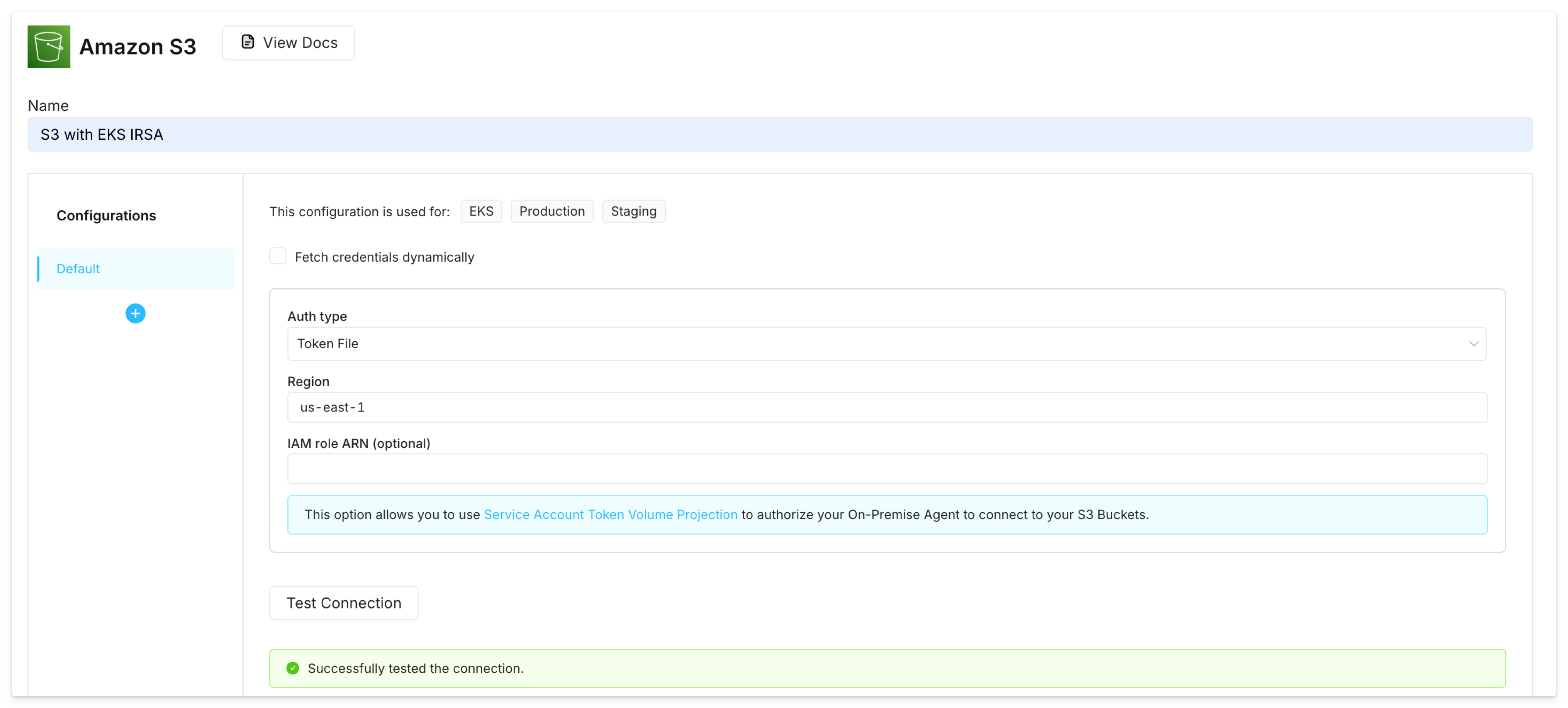
Once this is set up, create AWS integrations with the **Token File** auth type. This will authorize the agent to connect to the AWS service using Service Account Token Volume Projection.
### EC2 instance metadata
Create an IAM role that allows EC2 instances to call AWS services and associate this role with the EC2 instance where the Superblocks agent runs (IAM instance profile).
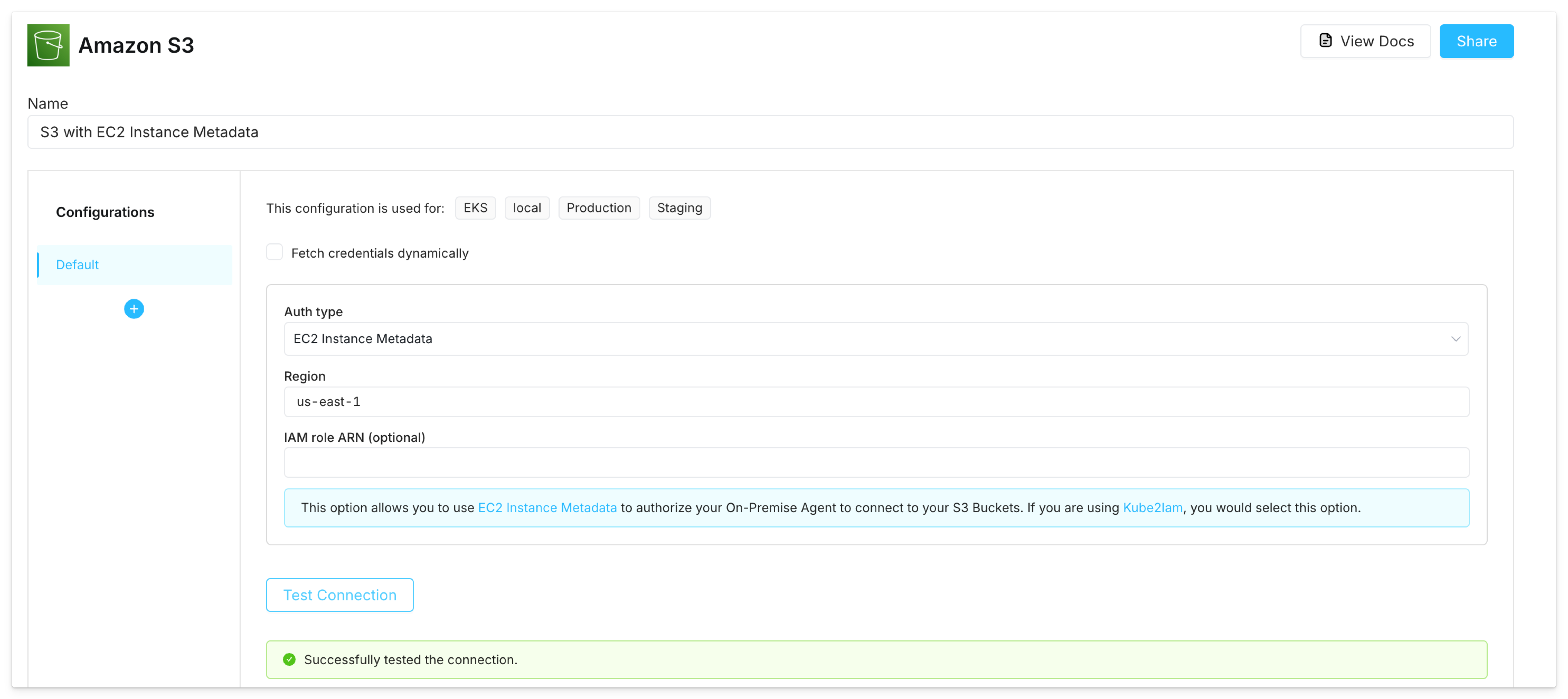
Once this is set up, create AWS integrations with the **EC2 Instance Metadata** auth type. This will authorize the agent to connect to the AWS service using the instance's IAM role credentials, retrieved through the EC2 instance metadata endpoint ([IMDS](https://docs.aws.amazon.com/AWSEC2/latest/UserGuide/instancedata-data-retrieval.html)).
## Connect to AWS in Python and JavaScript
The agent can also use IAM roles to connect to AWS services in backend Python ([Boto3](https://boto3.amazonaws.com/v1/documentation/api/latest/index.html)) and JavaScript ([AWS SDK](https://www.npmjs.com/package/aws-sdk)) steps.
If you're using [ECS task role auth](#ecs-task-role), you must additionally set the environment variable `SB_EXECUTION_ENV_INCLUSION_LIST` to a value of `AWS_CONTAINER_CREDENTIALS_RELATIVE_URI`. For example, in the agent's Terraform module:
```
superblocks_agent_environment_variables = [
{
"name" : "SB_EXECUTION_ENV_INCLUSION_LIST",
"value" : "AWS_CONTAINER_CREDENTIALS_RELATIVE_URI"
}
]
```
No additional configuration is required if your agent is using a [Kubernetes service account](#kubernetes-service-account) or [EC2 instance metadata](#ec2-instance-metadata) for IAM role auth.
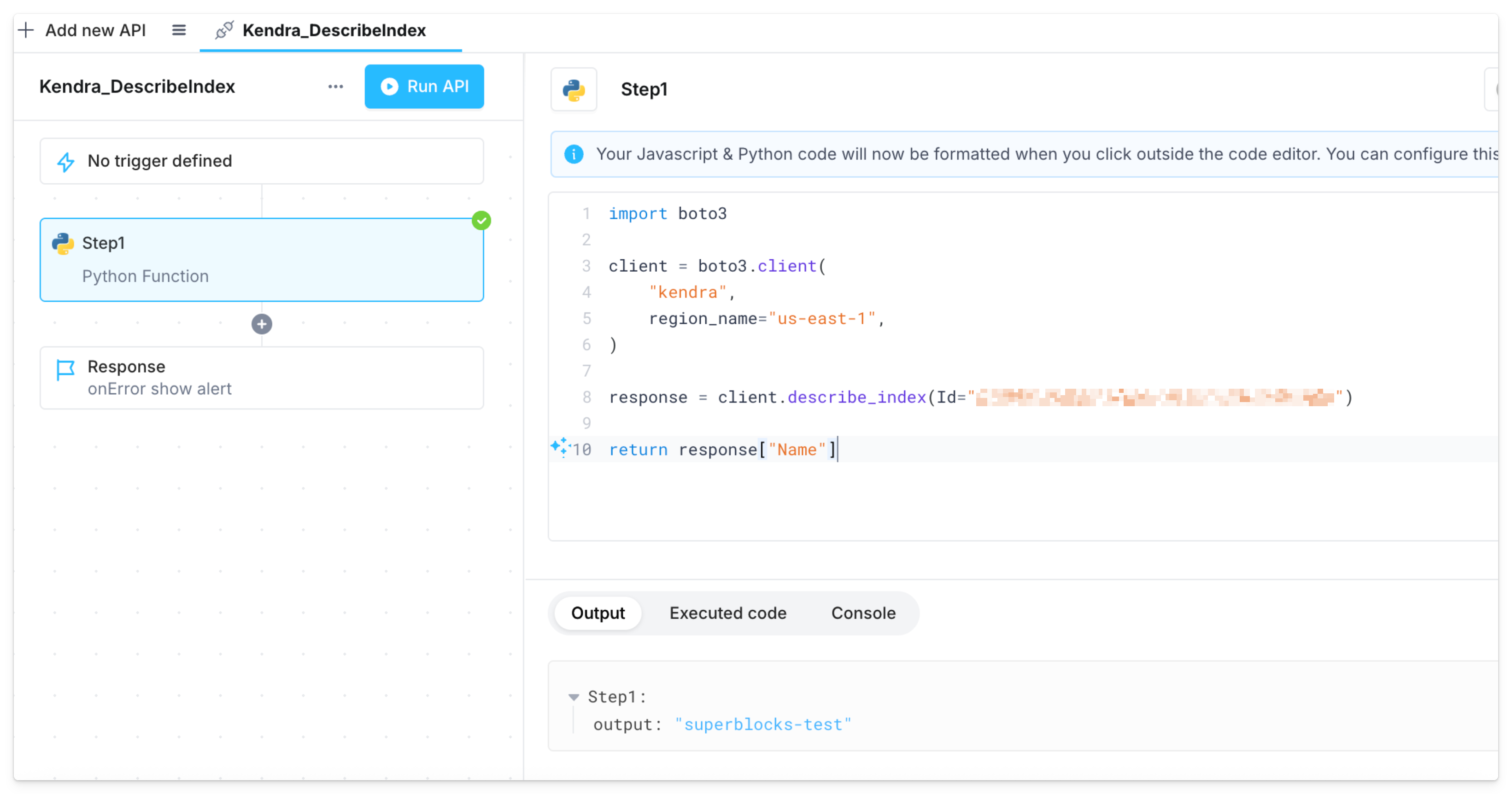
You can then write code in Superblocks to interact with AWS services that the agent's role has permission to access.