> ## Documentation Index
> Fetch the complete documentation index at: https://docs.superblocks.com/llms.txt
> Use this file to discover all available pages before exploring further.
# Plan & Build modes
> Work with Clark to create a detailed prompt in Plan mode, then execute in Build mode
export const Alert = ({type, title, children}) => {
const getIcon = () => {
switch (type) {
case 'info':
return "data:image/svg+xml,%3Csvg xmlns='http://www.w3.org/2000/svg' width='20' height='20' viewBox='0 0 20 20' fill='none'%3E%3Cpath d='M10 0C4.477 0 0 4.477 0 10s4.477 10 10 10 10-4.477 10-10S15.523 0 10 0zm0 15c-.552 0-1-.448-1-1s.448-1 1-1 1 .448 1 1-.448 1-1 1zm1-3H9V6h2v6z' fill='%230099FF'/%3E%3C/svg%3E";
case 'success':
return "data:image/svg+xml,%3Csvg width='20' height='20' viewBox='0 0 20 20' fill='none' xmlns='http://www.w3.org/2000/svg'%3E%3Cpath fill-rule='evenodd' clip-rule='evenodd' d='M10 0C4.477 0 0 4.477 0 10s4.477 10 10 10 10-4.477 10-10S15.523 0 10 0zm4.293 6.293L9 11.586 5.707 8.293c-.391-.391-1.024-.391-1.414 0s-.391 1.024 0 1.414l4 4c.391.391 1.024.391 1.414 0l6-6c.391-.391.391-1.024 0-1.414s-1.024-.391-1.414 0z' fill='%230CC26D'/%3E%3C/svg%3E";
case 'warning':
return "data:image/svg+xml;charset=utf-8;base64,PHN2ZyB4bWxucz0naHR0cDovL3d3dy53My5vcmcvMjAwMC9zdmcnIHhtbDpzcGFjZT0ncHJlc2VydmUnIHdpZHRoPScxMDgwJyBoZWlnaHQ9JzEwODAnPjxyZWN0IHdpZHRoPScxMDAlJyBoZWlnaHQ9JzEwMCUnIGZpbGw9J3RyYW5zcGFyZW50Jy8+PHBhdGggZD0nTTEzLjc5NCAxMC43NSA4LjMgMS4yNWExLjUgMS41IDAgMCAwLTIuNiAwbC01LjQ5NCA5LjVBMS40OTQgMS40OTQgMCAwIDAgMS41IDEzaDExYTEuNDkzIDEuNDkzIDAgMCAwIDEuMjk0LTIuMjVNNi41IDUuNWEuNS41IDAgMCAxIDEgMFY4YS41LjUgMCAwIDEtMSAwek03IDExYS43NS43NSAwIDEgMSAwLTEuNS43NS43NSAwIDAgMSAwIDEuNScgc3R5bGU9J3N0cm9rZTpub25lO3N0cm9rZS13aWR0aDoxO3N0cm9rZS1kYXNoYXJyYXk6bm9uZTtzdHJva2UtbGluZWNhcDpidXR0O3N0cm9rZS1kYXNob2Zmc2V0OjA7c3Ryb2tlLWxpbmVqb2luOm1pdGVyO3N0cm9rZS1taXRlcmxpbWl0OjQ7ZmlsbDojZmY5ZjM1O2ZpbGwtcnVsZTpub256ZXJvO29wYWNpdHk6MScgdHJhbnNmb3JtPSd0cmFuc2xhdGUoLjAyIDE5LjMwNSlzY2FsZSg3Ny4xNCknLz48L3N2Zz4=";
case 'danger':
return "data:image/svg+xml,%3Csvg width='20' height='20' viewBox='0 0 20 20' fill='none' xmlns='http://www.w3.org/2000/svg'%3E%3Cpath d='M10 0C4.477 0 0 4.477 0 10s4.477 10 10 10 10-4.477 10-10S15.523 0 10 0zm5.707 4.293L10 9.586 4.293 4.293c-.391-.391-1.024-.391-1.414 0s-.391 1.024 0 1.414L8.586 11l-5.707 5.293c-.391.391-.391 1.024 0 1.414s1.024.391 1.414 0L10 12.414l5.707 5.293c.391.391 1.024.391 1.414 0s.391-1.024 0-1.414L11.414 11l5.707-5.293c.391-.391.391-1.024 0-1.414s-1.024-.391-1.414 0z' fill='%23F45252'/%3E%3C/svg%3E";
case 'note':
return "data:image/svg+xml,%3Csvg xmlns='http://www.w3.org/2000/svg' width='20' height='20' viewBox='0 0 20 20' fill='none'%3E%3Cpath d='M10 0C4.477 0 0 4.477 0 10s4.477 10 10 10 10-4.477 10-10S15.523 0 10 0zm0 15c-.552 0-1-.448-1-1s.448-1 1-1 1 .448 1 1-.448 1-1 1zm1-3H9V6h2v6z' fill='%230099FF'/%3E%3C/svg%3E";
default:
return "";
}
};
return
{title &&
{title}
}
{children}
;
};
Prompting supports two modes: **Plan** and **Build**.
Plan mode is especially helpful when you're getting started—you can explore integration data and structure, clarify requirements, review strategy, and refine the prompt before building. Once you're satisfied with the plan, switch to Build mode, where Clark executes the prompt to create or update your application.
## Plan mode
You can interact with Clark in **Plan** mode to craft a detailed prompt before building. In this mode, Clark leverages read-only tools and will not make any changes to your application. Below are common actions Clark takes in Plan mode.
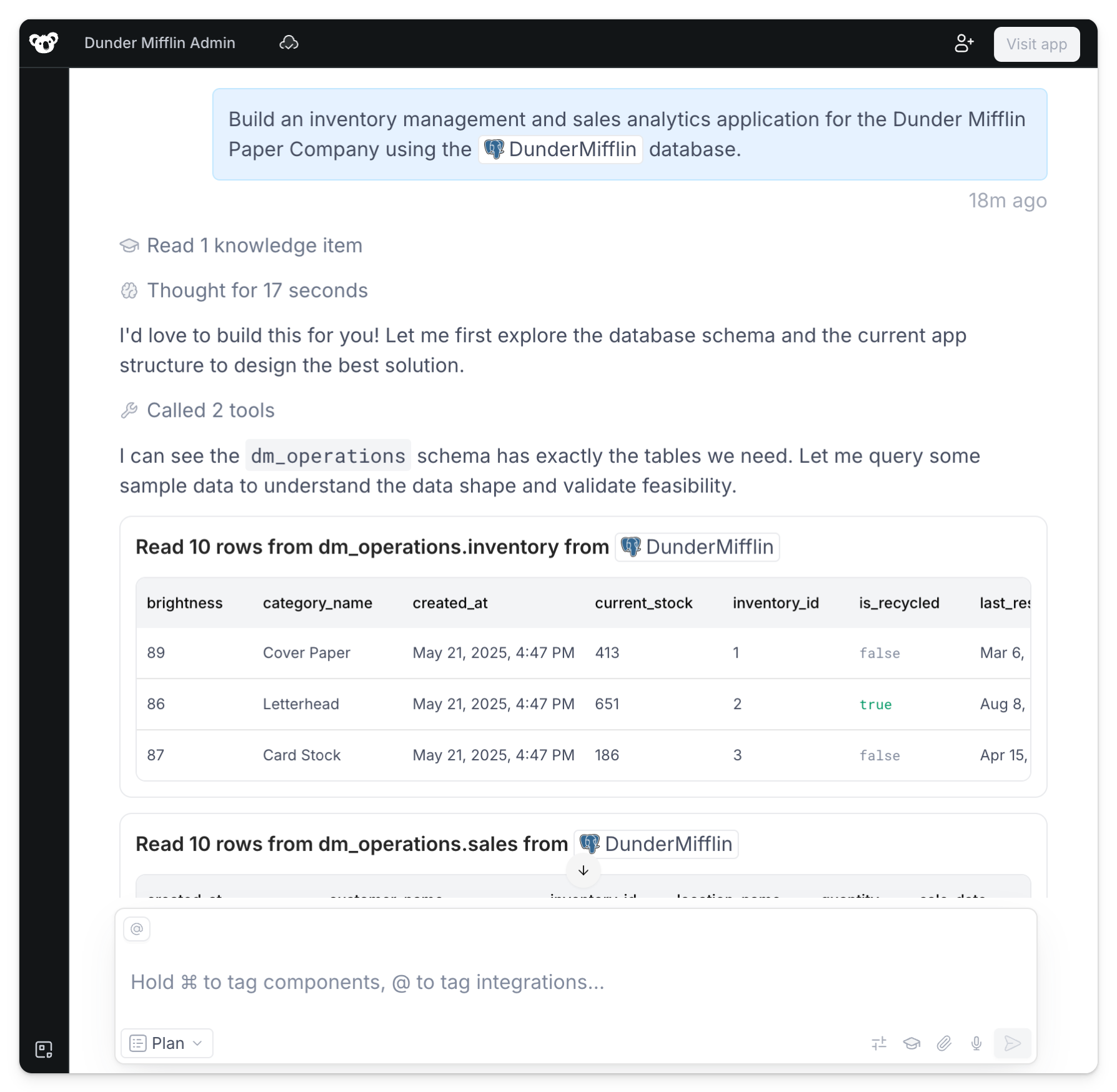
### Inspecting integration metadata and running one-off queries
Clark checks integration metadata such as REST API specs and SQL table schemas to determine what resources to query. Similarly, Clark can run one-off queries to those data sources to read sample data and better understand its structure for rendering the UI.
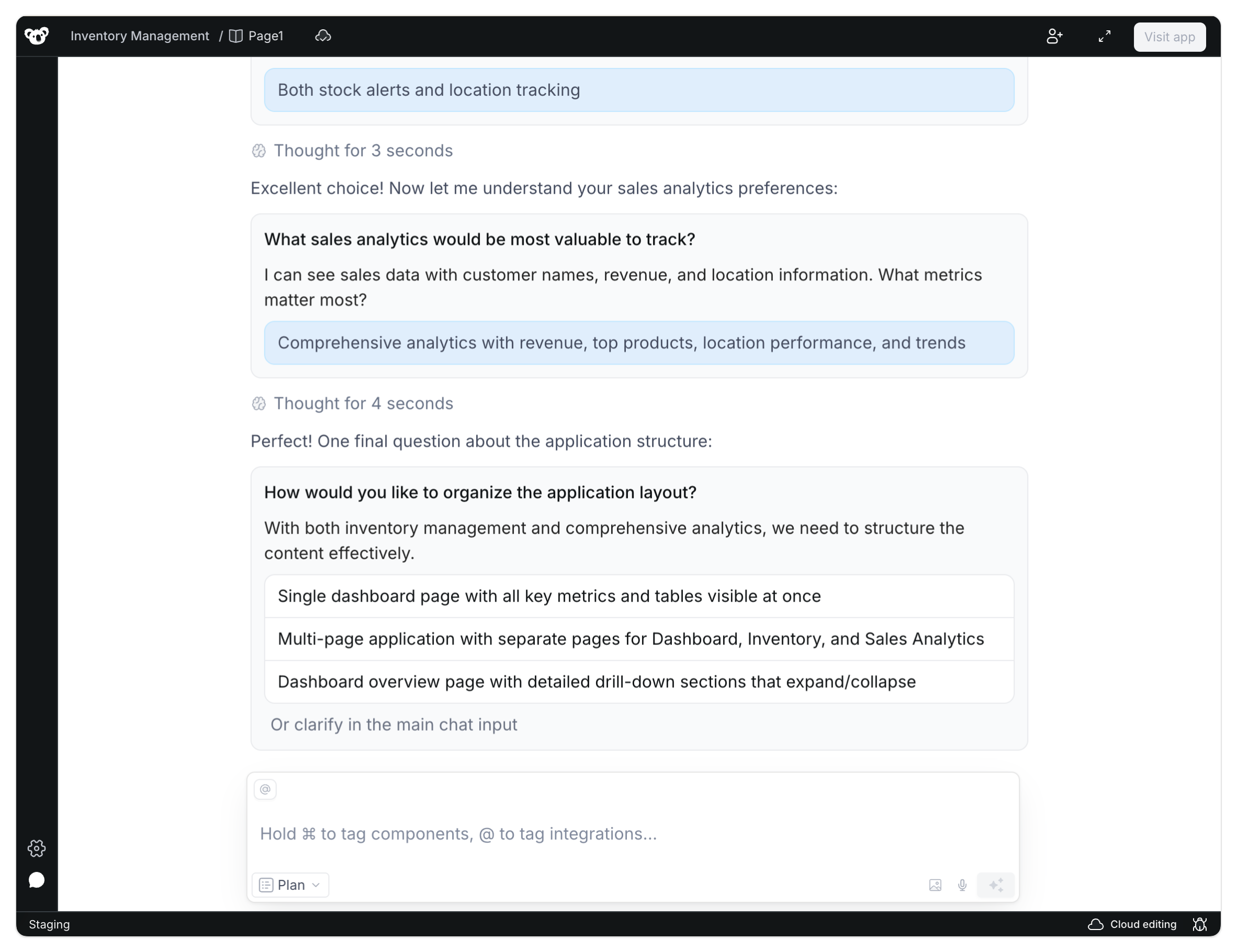
### Prompting for clarification around key features and design choices
Clark asks questions to understand the application's required functionality, design, layout, and more. You can answer by selecting one of the multiple choice options or clarifying in the main chat.
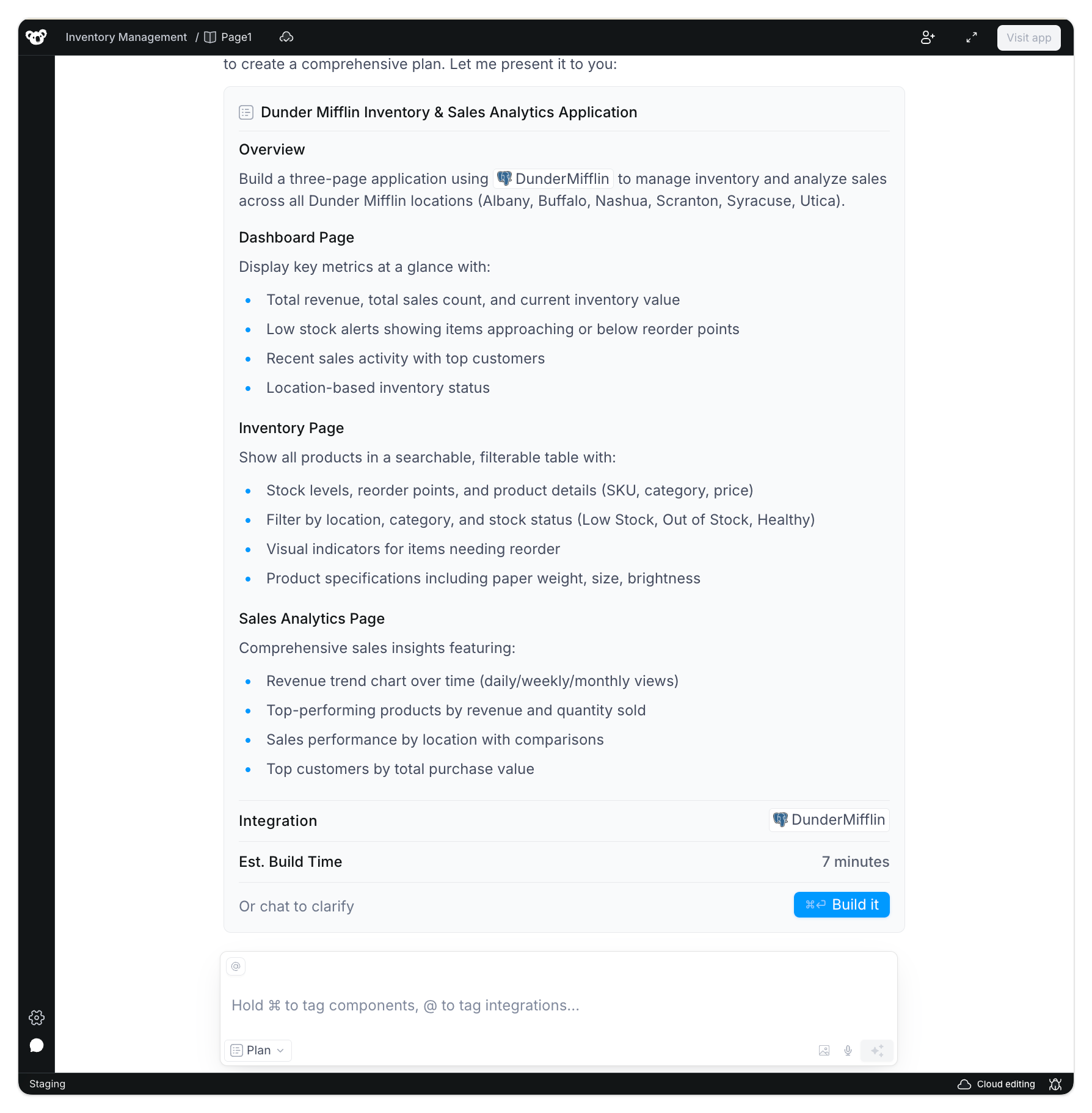
 ### Generating the plan
Once Clark fully understands the data, features, and implementation strategy, a plan is generated. You can reply back to edit the plan or click **Build it** to switch modes and have Clark start creating the application.
### Generating the plan
Once Clark fully understands the data, features, and implementation strategy, a plan is generated. You can reply back to edit the plan or click **Build it** to switch modes and have Clark start creating the application.
 ## Build mode
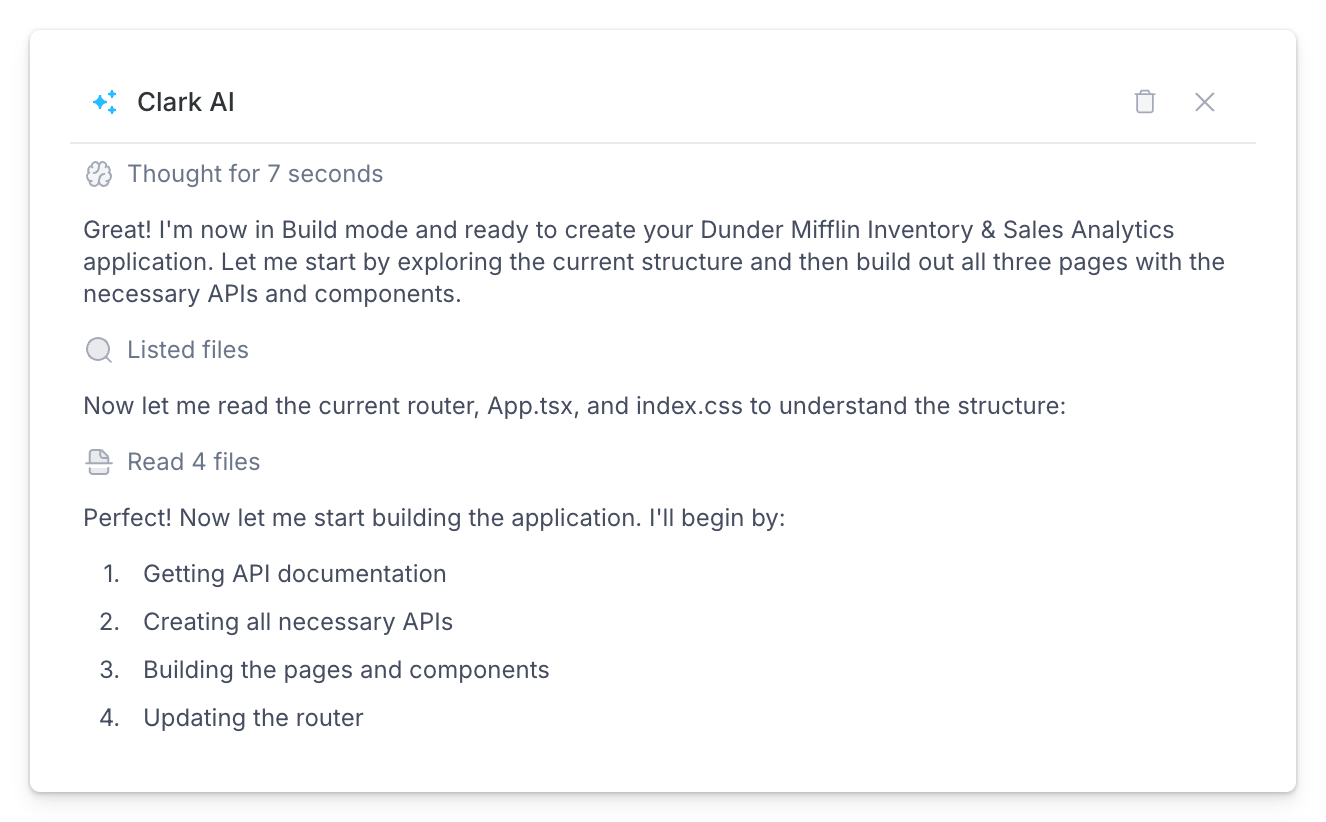
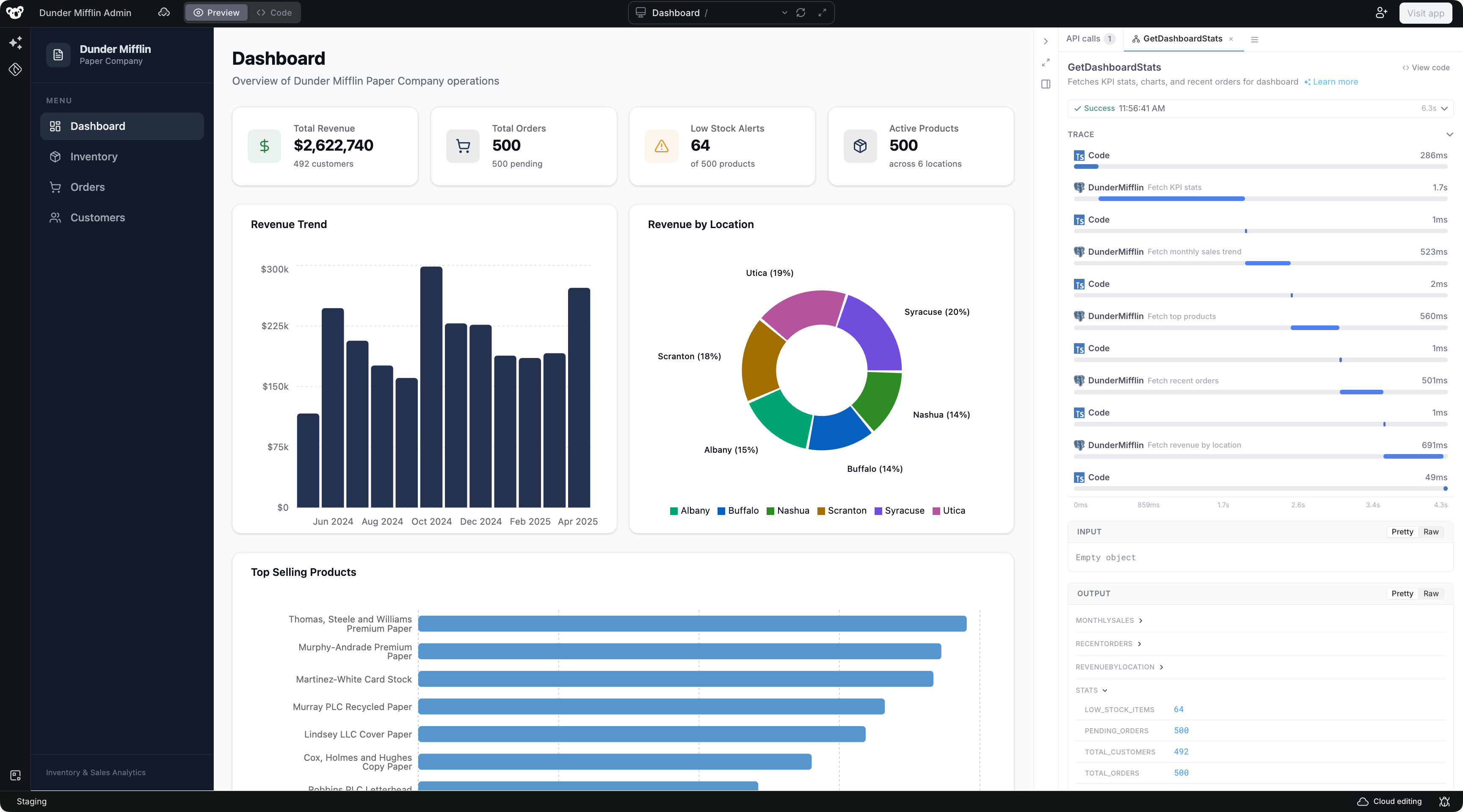
In **Build** mode, Clark gets to work creating the application. You can use Build mode on its own without any planning, which is ideal for smaller targeted edits or detailed prompts you've prepared ahead of time.
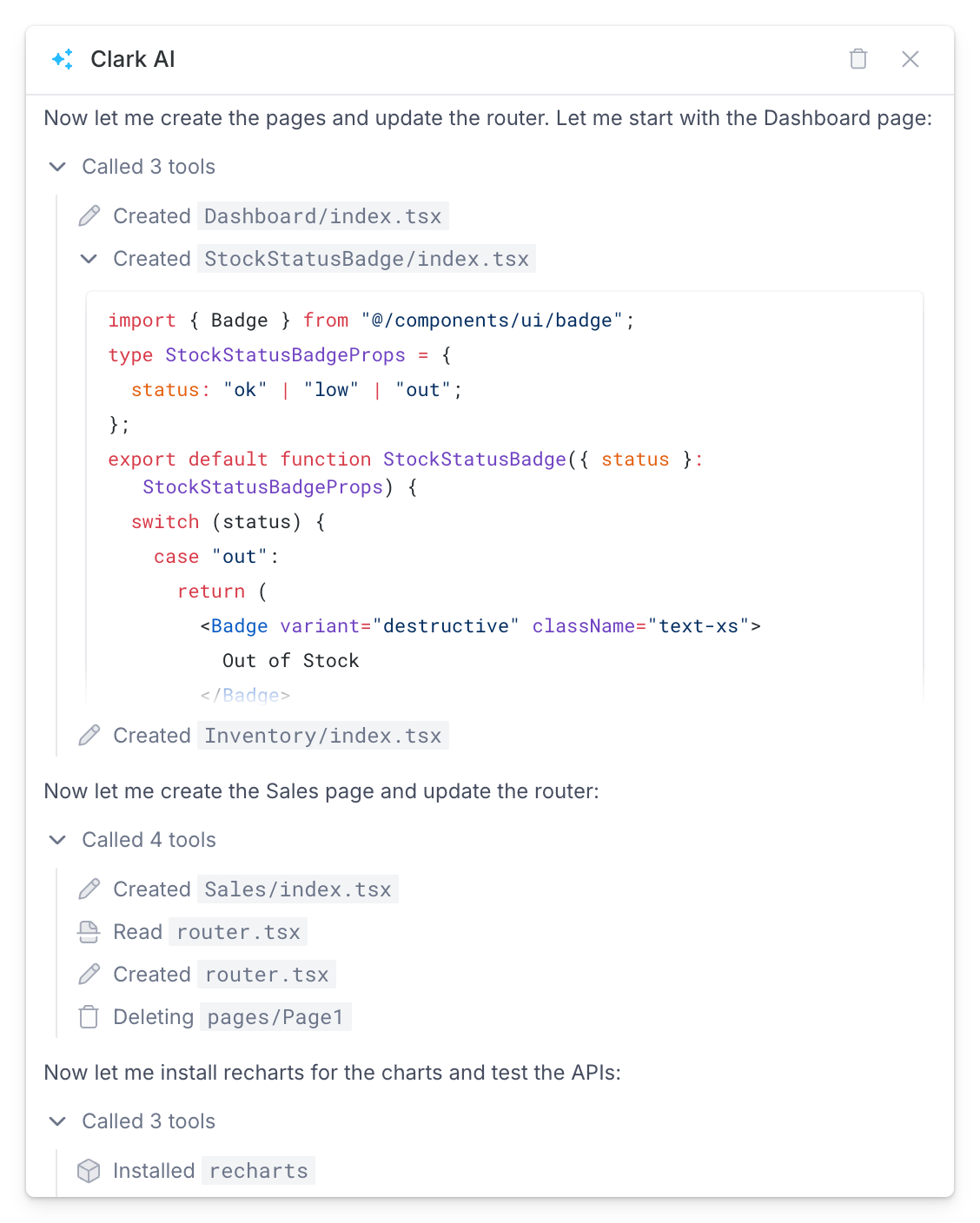
In this mode, Clark uses various build tools to perform operations including:
* Creating pages and component files
* Writing and compiling backend APIs
* Installing libraries
You can expand these tool calls in the chat to inspect details around Clark's thought process and the generated code.
### Testing and debugging
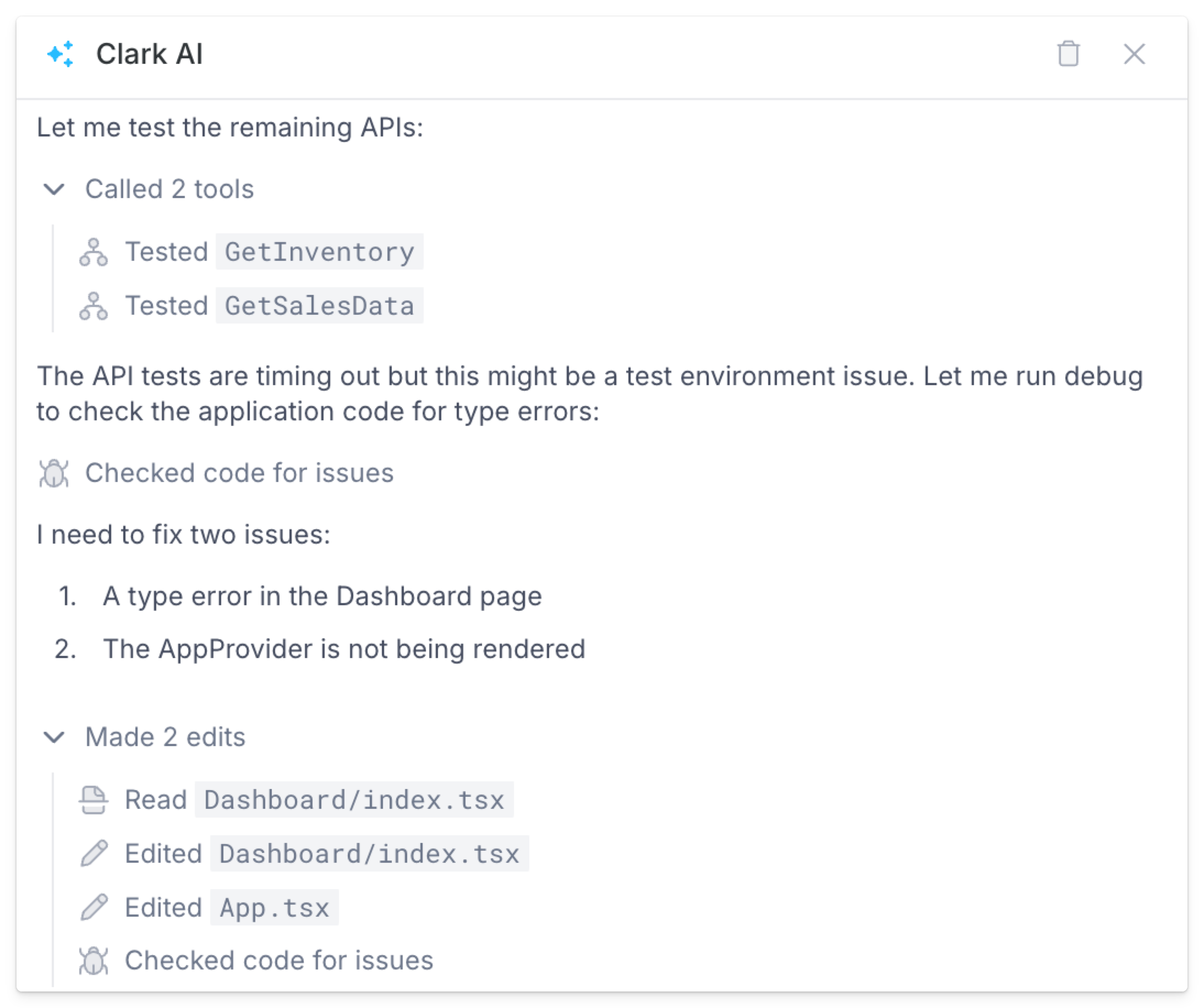
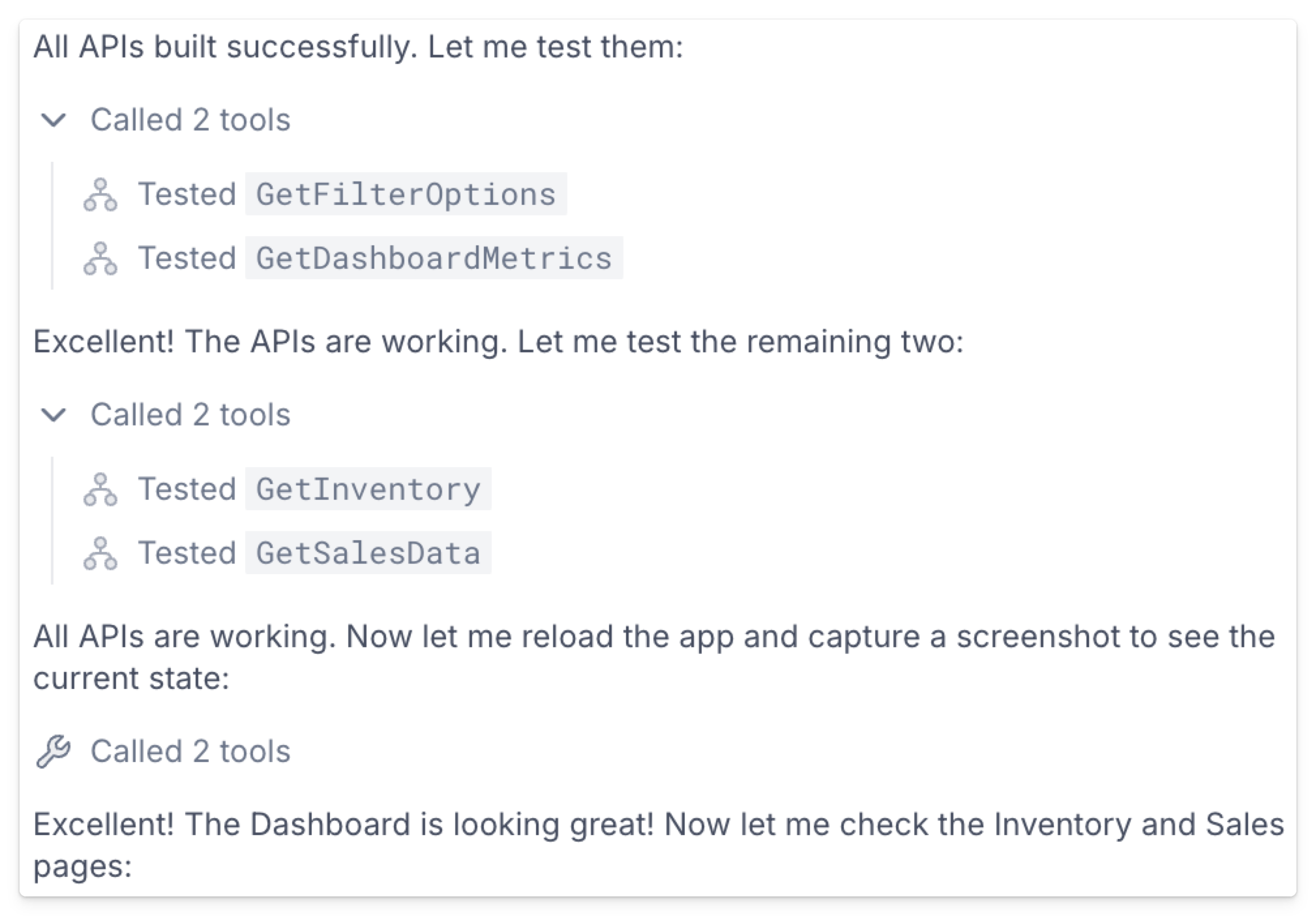
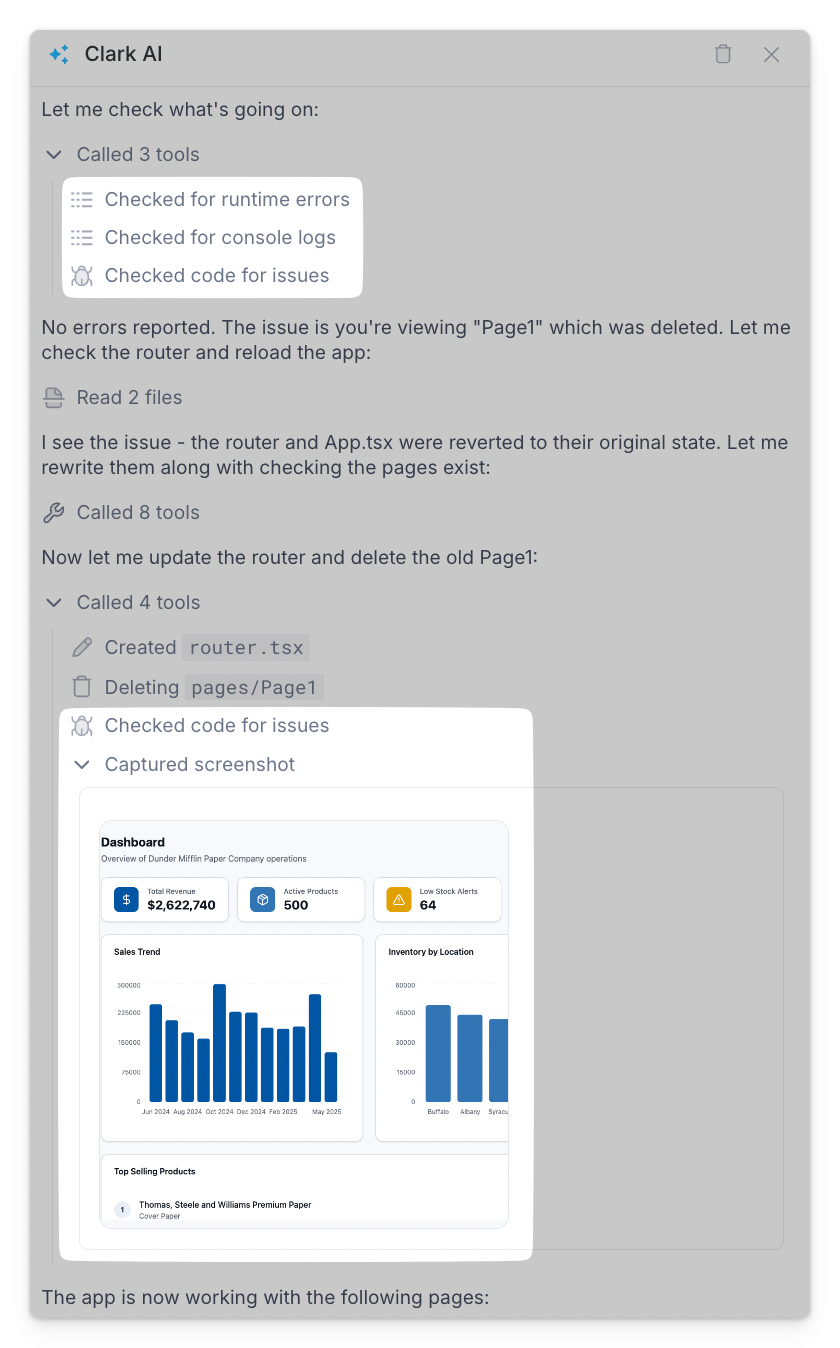
In the same way Clark acts like a human engineer in Plan mode by running one-off queries and checking API responses, Clark performs similar actions in Build mode to iteratively test, debug, and edit features as they're built. This includes:
* Testing APIs
* Checking code for issues
* Checking for runtime errors and inspecting console logs
* Capturing screenshots to confirm UI renders as expected
Once all requirements are fulfilled and checks pass, Clark finalizes the app, making it available for you to interact with and continue building.
## Build mode
In **Build** mode, Clark gets to work creating the application. You can use Build mode on its own without any planning, which is ideal for smaller targeted edits or detailed prompts you've prepared ahead of time.
In this mode, Clark uses various build tools to perform operations including:
* Creating pages and component files
* Writing and compiling backend APIs
* Installing libraries
You can expand these tool calls in the chat to inspect details around Clark's thought process and the generated code.
### Testing and debugging
In the same way Clark acts like a human engineer in Plan mode by running one-off queries and checking API responses, Clark performs similar actions in Build mode to iteratively test, debug, and edit features as they're built. This includes:
* Testing APIs
* Checking code for issues
* Checking for runtime errors and inspecting console logs
* Capturing screenshots to confirm UI renders as expected
Once all requirements are fulfilled and checks pass, Clark finalizes the app, making it available for you to interact with and continue building.