> ## Documentation Index
> Fetch the complete documentation index at: https://docs.superblocks.com/llms.txt
> Use this file to discover all available pages before exploring further.
# App knowledge
> Teach Clark about app-specific architecture, business logic, and conventions
App knowledge is scoped to a single application. Think of it like an `agents.md` or [agent skill](https://platform.claude.com/docs/en/agents-and-tools/agent-skills/overview) for your app — a set of persistent instructions that Clark follows every time it works in this app.
## Adding app knowledge
To teach Clark knowledge about your app, simply tell it what to remember in the chat. For example:
* "Remember that this app uses a master-detail layout — left panel is always a filterable list, right is the selected item's details."
* "Remember that all monetary values are stored in cents and should be displayed as dollars with two decimal places."
* "Remember that the fetchOrders API must always include a `storeId` filter."
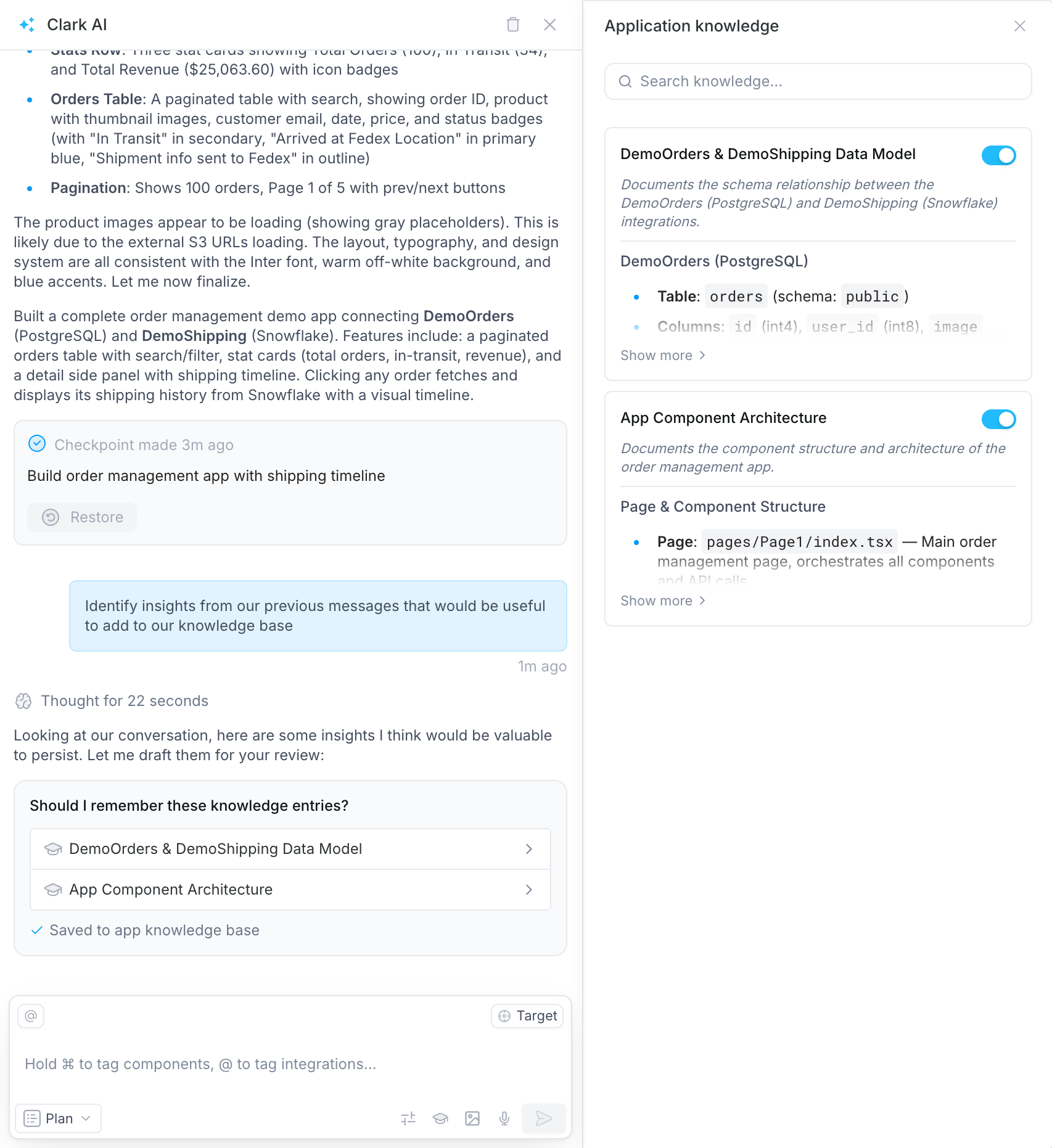
Clark will extract the key instruction, propose a knowledge entry, and save it once you approve. From that point on, Clark references this knowledge automatically in every conversation within the app.
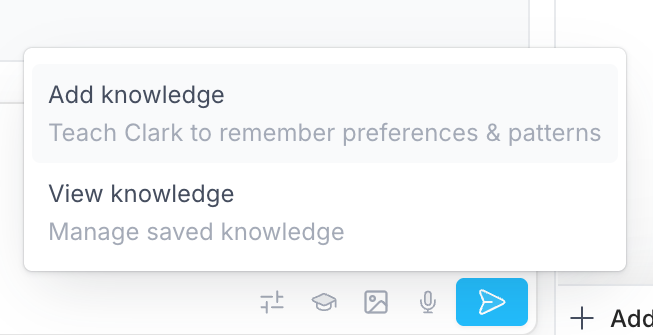
You can also click the **knowledge icon** in the chat toolbar and select **Add knowledge** — this injects a prompt that tells Clark to identify useful insights from the current conversation to add to the knowledge base.
 ## Viewing and managing app knowledge
To view all app knowledge, click the **knowledge icon** in the chat toolbar and select **View knowledge**. You can also click through from a new knowledge entry in the chat after Clark saves one.
## Viewing and managing app knowledge
To view all app knowledge, click the **knowledge icon** in the chat toolbar and select **View knowledge**. You can also click through from a new knowledge entry in the chat after Clark saves one.
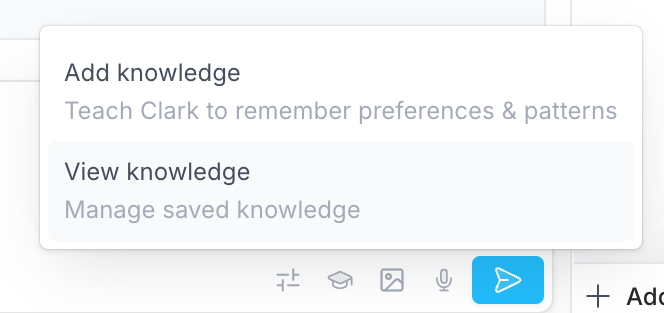 This opens the knowledge panel where you can review all saved entries and disable or delete individual ones.
 ## What to capture
App knowledge is useful for details like:
* **Architecture decisions** — state management approach, component hierarchy, routing patterns
* **Business logic** — domain rules specific to this app, calculation methods, validation requirements
* **Data dependencies** — which APIs power which views, refresh patterns, caching strategies
* **UI conventions** — layout patterns, component reuse rules, interaction behaviors specific to this app
## How it works
Clark doesn't load all app knowledge upfront. Instead, it looks up relevant entries on the fly using progressive disclosure — pulling in only the knowledge that's relevant to what you're currently working on. You don't need to reference specific knowledge entries in your prompts.
For knowledge that applies beyond a single app, see [Organization Knowledge](/admin/org-administration/knowledge), [Integration Knowledge](/integrations/knowledge), or [User Knowledge](/building-with-clark/knowledge/user-knowledge).
## What to capture
App knowledge is useful for details like:
* **Architecture decisions** — state management approach, component hierarchy, routing patterns
* **Business logic** — domain rules specific to this app, calculation methods, validation requirements
* **Data dependencies** — which APIs power which views, refresh patterns, caching strategies
* **UI conventions** — layout patterns, component reuse rules, interaction behaviors specific to this app
## How it works
Clark doesn't load all app knowledge upfront. Instead, it looks up relevant entries on the fly using progressive disclosure — pulling in only the knowledge that's relevant to what you're currently working on. You don't need to reference specific knowledge entries in your prompts.
For knowledge that applies beyond a single app, see [Organization Knowledge](/admin/org-administration/knowledge), [Integration Knowledge](/integrations/knowledge), or [User Knowledge](/building-with-clark/knowledge/user-knowledge).