> ## Documentation Index
> Fetch the complete documentation index at: https://docs.superblocks.com/llms.txt
> Use this file to discover all available pages before exploring further.
# Organization knowledge
> Define org-wide standards and conventions that Clark follows by default
Organization knowledge applies to every Clark conversation across your entire org. Use it to encode information that all builders should benefit from, so Clark builds consistently with your team's standards — things like design systems, coding conventions, domain terminology, and team-wide patterns.
## Adding org knowledge
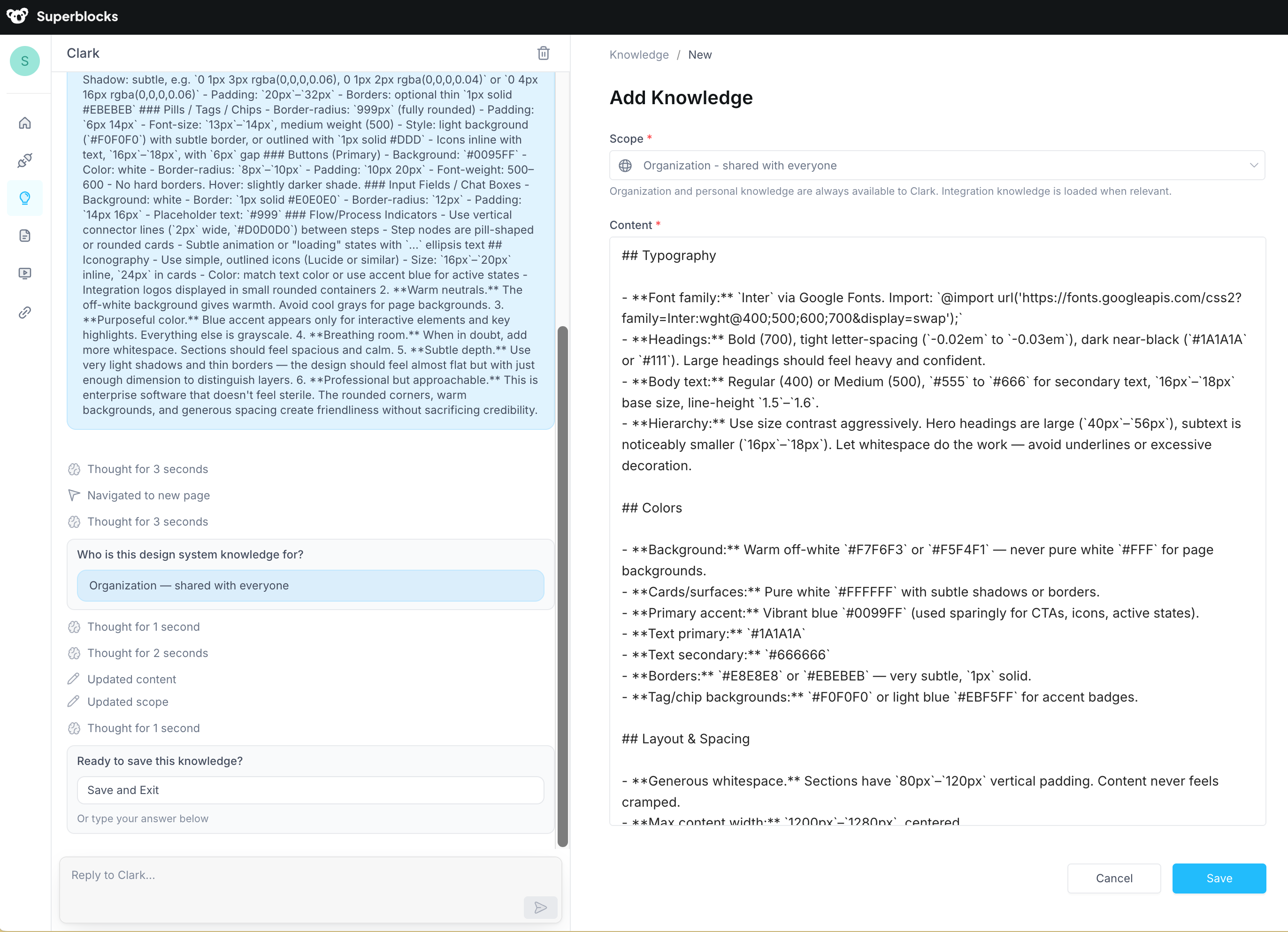
Navigate to the **Knowledge** page and chat with Clark to describe what you want it to remember. Clark will create the right knowledge entry at the right scope for you, then present it for your review before saving. We recommend using Clark to write entries because it optimizes them for LLM retrieval — producing focused, well-structured instructions that Clark can look up effectively at build time.
 For example, you might tell Clark:
* "Our design system uses primary (#0099FF), secondary (#6B7280), and danger (#EF4444). Never hardcode other colors for interactive elements."
* "All API error responses must be caught and displayed with a toast notification. Never silently swallow errors."
* "When referring to customers, use 'account' not 'client' or 'customer'. Our data model uses `account_id` as the primary identifier."
Clark will draft the entry, set the scope to **Organization**, and present it for your review before saving.
For example, you might tell Clark:
* "Our design system uses primary (#0099FF), secondary (#6B7280), and danger (#EF4444). Never hardcode other colors for interactive elements."
* "All API error responses must be caught and displayed with a toast notification. Never silently swallow errors."
* "When referring to customers, use 'account' not 'client' or 'customer'. Our data model uses `account_id` as the primary identifier."
Clark will draft the entry, set the scope to **Organization**, and present it for your review before saving.
 You can also ask Clark to **explore your existing knowledge**, refine entries, or identify duplicates — for example, "Review my org knowledge and flag any entries that overlap or contradict each other."
## Permissions
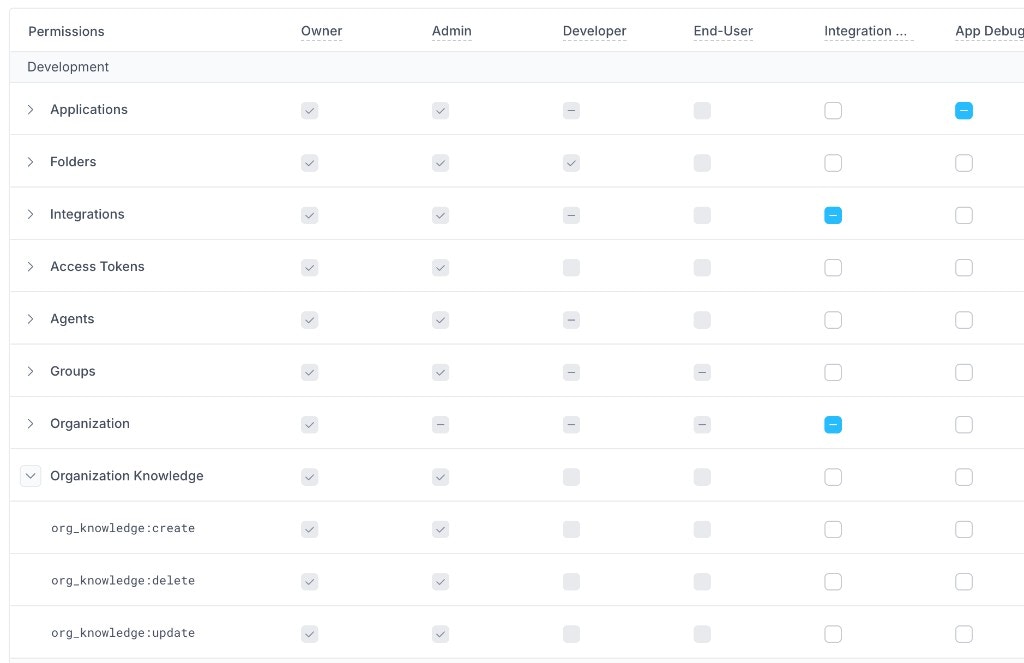
Creating, updating, and deleting org knowledge requires Owner or Admin permissions. Once entries are saved, they are available to all builders in the org — you cannot restrict who benefits from org knowledge, because it's designed to apply everywhere.
You can also ask Clark to **explore your existing knowledge**, refine entries, or identify duplicates — for example, "Review my org knowledge and flag any entries that overlap or contradict each other."
## Permissions
Creating, updating, and deleting org knowledge requires Owner or Admin permissions. Once entries are saved, they are available to all builders in the org — you cannot restrict who benefits from org knowledge, because it's designed to apply everywhere.
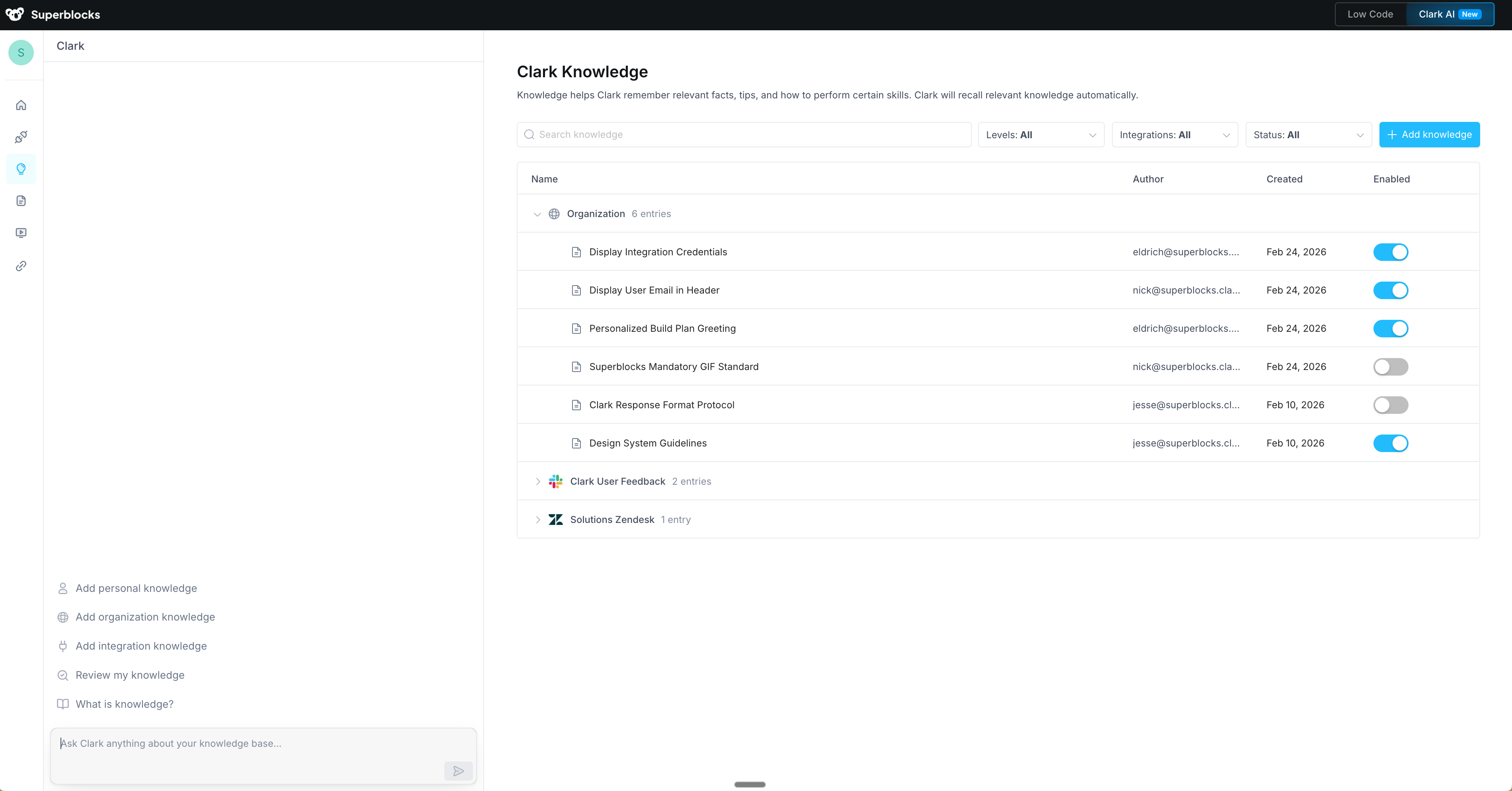
 Individual entries can be enabled or disabled from the Knowledge page.
Enabling too many knowledge entries at once can reduce Clark's effectiveness. Keep entries focused and disable any that aren't actively needed.
## Related
Organization knowledge is part of Clark's broader [Knowledge](/building-with-clark/knowledge) system. You can also define knowledge at the [integration](/integrations/knowledge), [user](/building-with-clark/knowledge/user-knowledge), and [app](/building-with-clark/knowledge/app-knowledge) levels.
Individual entries can be enabled or disabled from the Knowledge page.
Enabling too many knowledge entries at once can reduce Clark's effectiveness. Keep entries focused and disable any that aren't actively needed.
## Related
Organization knowledge is part of Clark's broader [Knowledge](/building-with-clark/knowledge) system. You can also define knowledge at the [integration](/integrations/knowledge), [user](/building-with-clark/knowledge/user-knowledge), and [app](/building-with-clark/knowledge/app-knowledge) levels.